
Earn Your CompTIA A+ From Scratch
A step-by-step IT support course built for complete beginners — covering every hardware component, OS, network, and security domain on the Core 1 and Core 2 exams, with hands-on scenarios that turn textbook concepts into real bench skills.
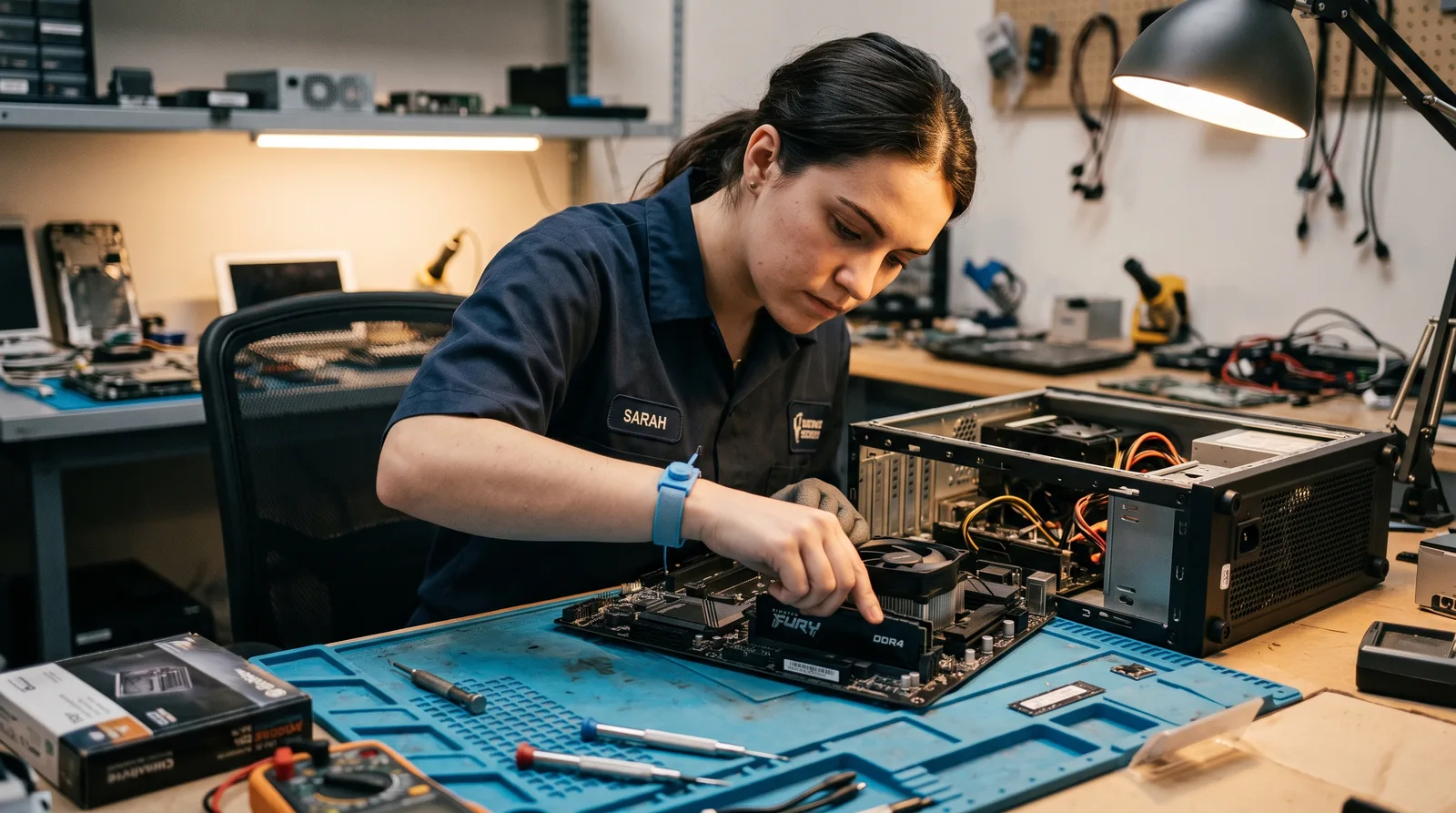
"I'll never ask you to memorize something I haven't first shown you doing something real."
— Renstay College
What you'll learn
What you'll be able to do
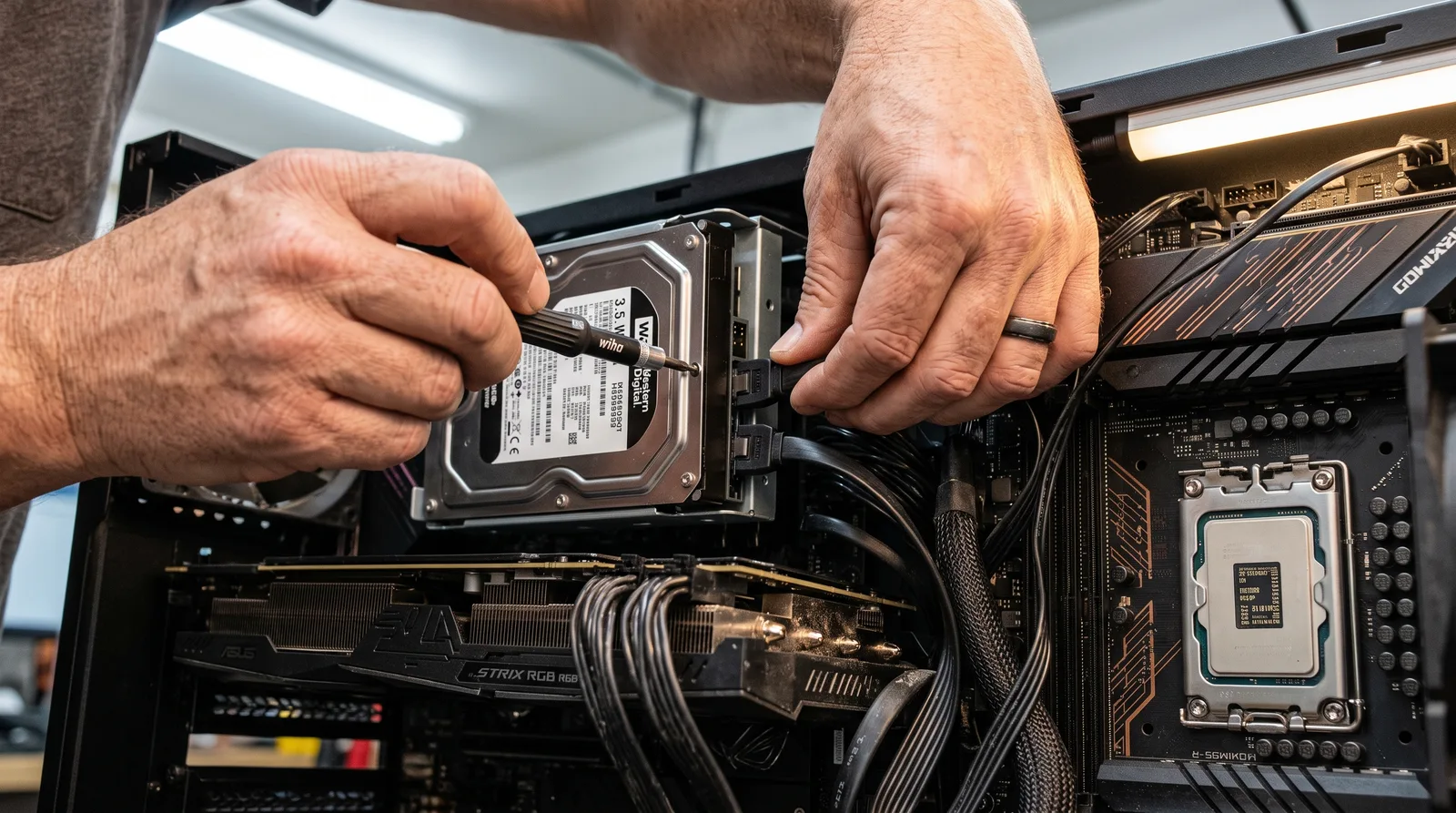
- Identify and explain every major PC component — CPU, RAM, storage, motherboard, and PSU — and confidently swap or upgrade hardware in a desktop or laptop
- Troubleshoot and resolve common OS issues across Windows, macOS, and Linux using built-in diagnostic tools and command-line utilities
- Install, configure, and secure wired and wireless networks, including TCP/IP addressing, routers, switches, and basic firewall rules
- Apply cybersecurity best practices: manage user permissions, recognize social-engineering attacks, and implement malware-removal procedures
- Support mobile devices and printers end-to-end — from driver installation and connectivity issues to screen replacements and firmware updates
- Sit the CompTIA A+ Core 1 (220-1101) and Core 2 (220-1102) exams with confidence, having drilled every exam domain with timed practice tests
How it works
A school that adapts to you
This isn't a set of static videos. Every lesson is generated live and tuned to where you actually are.
We learn your level
A quick placement check tailors your starting point so you're never bored or lost.
Lessons adapt as you go
Each lesson is written for your pace and your goal, adjusting as your skills grow.
Your AI coach keeps you moving
Checkpoints, feedback, and gentle nudges turn progress into a real result.
The curriculum
What's inside your school
0 modules · 0 lessons

Course Orientation
This topic introduces learners to the CompTIA A+ certification, its importance within the IT
industry, available career opportunities, certification requirements, examination structure, and
expectations of IT support professionals. Learners gain a clear roadmap for successfully completing
the course and certification.
- 1.1What is CompTIA A+Included
- 1.2IT Support Career PathsIncluded
- 1.3Exam Structure and Certification RequirementsIncluded
- 1.4IT Technician Roles and ResponsibilitiesIncluded
IT Fundamentals Review
This topic reviews essential IT concepts including computer systems, hardware, software,
networking, and professional best practices. Learners establish a strong technical foundation
required for understanding more advanced CompTIA A+ concepts covered throughout the
certification program.
- 2.1Computer Systems OverviewIncluded
- 2.2Hardware vs SoftwareIncluded
- 2.3Basic Networking ConceptsIncluded
- 2.4IT Professional Best PracticesIncluded
Laptop Hardware
This topic introduces the hardware components found in modern laptops, including displays, power
systems, storage devices, memory, and internal components. Learners develop the skills required to
identify, maintain, upgrade, troubleshoot, and repair laptop systems safely and effectively.
- 3.1Laptop ComponentsIncluded
- 3.2Laptop Display TechnologiesIncluded
- 3.3Laptop Power SystemsIncluded
- 3.4Laptop Upgrades and RepairsIncluded
Mobile Devices
This topic introduces smartphones, tablets, mobile accessories, connectivity methods, and
synchronization technologies. Learners gain practical knowledge of mobile device features,
configurations, communication technologies, and integration with cloud services commonly used in
modern IT environments.
- 4.1Smartphones and TabletsIncluded
- 4.2Mobile Device AccessoriesIncluded
- 4.3Mobile Device ConnectivityIncluded
- 4.4Mobile Device SynchronizationIncluded
Mobile Device Troubleshooting
This topic develops troubleshooting skills for diagnosing and resolving common mobile device
issues involving connectivity, displays, batteries, charging systems, and security. Learners apply
structured troubleshooting methodologies while utilizing modern AI-assisted diagnostic tools and
support systems.
- 5.1Connectivity ProblemsIncluded
- 5.2Screen and Touch IssuesIncluded
- 5.3Battery and Charging ProblemsIncluded
- 5.4Mobile Device SecurityIncluded
Network Concepts
This topic introduces the fundamental concepts of computer networking, including network types,
architectures, communication models, and business applications. Learners develop an understanding
of how devices communicate, share resources, and exchange data across modern wired and wireless
networks
- 6.1Types of NetworksIncluded
- 6.2LAN, WAN, MAN and PANIncluded
- 6.3Client-Server NetworksIncluded
- 6.4Peer-to-Peer NetworksIncluded
TCP/IP Fundamentals
This topic introduces the TCP/IP protocol suite, IP addressing, subnetting, and address allocation
concepts. Learners gain the knowledge required to understand how devices communicate across
networks and how addressing schemes enable reliable data transmission worldwide.
- 7.1IPv4 AddressingIncluded
- 7.2IPv6 AddressingIncluded
- 7.3Subnetting BasicsIncluded
- 7.4Public and Private AddressesIncluded
Ports and Protocols
This topic introduces network protocols, communication ports, transport mechanisms, and essential
internet services. Learners gain practical knowledge of how applications communicate across
networks and how protocols ensure secure, reliable, and efficient data transmission
- 8.1TCP vs UDPIncluded
- 8.2Common Network PortsIncluded
- 8.3DNS, DHCP and NATIncluded
- 8.4HTTP, HTTPS and FTPIncluded
Network Devices
This topic introduces the essential devices used to build and manage computer networks. Learners
explore routers, switches, wireless access points, and firewalls, understanding their functions,
configurations, deployment scenarios, and roles in secure and efficient network communication.
- 9.1RoutersIncluded
- 9.2SwitchesIncluded
- 9.3Wireless Access PointsIncluded
- 9.4FirewallsIncluded
Cabling Technologies
This topic develops an understanding of network cabling technologies used in modern
infrastructures. Learners explore Ethernet standards, copper and fiber-optic cabling, connectors,
installation best practices, and cabling selection criteria for various networking environments and
performance requirements.
- 10.1Ethernet StandardsIncluded
- 10.2Twisted Pair CablingIncluded
- 10.3Fiber Optic CablingIncluded
- 10.4Cable ConnectorsIncluded
Wireless Networking
This topic introduces wireless networking technologies, standards, security mechanisms, and
troubleshooting techniques. Learners gain practical skills for deploying, securing, maintaining, and
diagnosing wireless networks commonly found in homes, businesses, and enterprise environments.
- 11.1Wi-Fi StandardsIncluded
- 11.2Wireless SecurityIncluded
- 11.3Bluetooth TechnologyIncluded
- 11.4Wireless TroubleshootingIncluded
Motherboards and Components
This topic introduces motherboard architecture and the essential components that enable computer
operation. Learners explore chipsets, firmware, expansion technologies, and motherboard design
principles while developing the skills needed to identify, configure, maintain, and troubleshoot
hardware systems.
- 12.1Motherboard ArchitectureIncluded
- 12.2ChipsetsIncluded
- 12.3BIOS and UEFIIncluded
- 12.4Expansion SlotsIncluded
CPUs and Memory
This topic develops an understanding of processor and memory technologies used in modern
computing systems. Learners explore CPU architectures, installation procedures, RAM
technologies, performance considerations, and memory upgrade techniques necessary for effective
hardware support and maintenance.
- 13.1Processor TechnologiesIncluded
- 13.2CPU InstallationIncluded
- 13.3RAM TechnologiesIncluded
- 13.4Memory UpgradesIncluded
Storage Devices
This topic introduces modern storage technologies and data storage solutions. Learners examine
hard disk drives, solid-state drives, NVMe storage, and RAID configurations while developing
skills for storage selection, installation, optimization, maintenance, and troubleshooting.
- 14.1HDD TechnologiesIncluded
- 14.2SSD TechnologiesIncluded
- 14.3NVMe StorageIncluded
- 14.4RAID ConceptsIncluded
Printers
This topic introduces common printer technologies used in home, office, retail, and industrial
environments. Learners explore printer components, printing processes, maintenance procedures,
troubleshooting techniques, and best practices for supporting, configuring, and maintaining printing
devices effectively.
- 15.1Laser PrintersIncluded
- 15.2Inkjet PrintersIncluded
- 15.3Thermal PrintersIncluded
- 15.4Printer MaintenanceIncluded
Display Devices
This topic introduces modern display technologies and visual output devices used in computing
environments. Learners explore display operation, specifications, performance factors, installation
procedures, and troubleshooting techniques required to support various display solutions effectively.
- 16.1LCD DisplaysIncluded
- 16.2LED DisplaysIncluded
- 16.3OLED DisplaysIncluded
- 16.4Projectors and Interactive DisplaysIncluded
Expansion Devices
This topic examines hardware expansion devices used to enhance computer functionality and
performance. Learners explore graphics cards, audio devices, capture solutions, and external
peripherals while developing skills for installation, configuration, optimization, and
troubleshooting.
- 17.1GPUsIncluded
- 17.2Sound CardsIncluded
- 17.3Capture CardsIncluded
- 17.4External PeripheralsIncluded
Cloud Concepts
This topic introduces cloud computing concepts, deployment models, and business benefits.
Learners explore public, private, and hybrid cloud environments while developing an understanding
of scalability, resource sharing, cost efficiency, accessibility, and cloud-based service delivery in
modern IT infrastructures.
- 18.1Cloud Computing FundamentalsIncluded
- 18.2Public CloudIncluded
- 18.3Private CloudIncluded
- 18.4Hybrid CloudIncluded
Virtualization
This topic introduces virtualization technologies that allow multiple operating systems and services
to run on shared hardware. Learners explore hypervisors, virtual machines, containers, and virtual
desktop infrastructures while developing practical skills for deployment and management.
- 19.1HypervisorsIncluded
- 19.2Virtual MachinesIncluded
- 19.3ContainersIncluded
- 19.4Virtual Desktop InfrastructureIncluded
Cloud Services
This topic introduces cloud service models and cloud security principles. Learners examine
Software as a Service, Platform as a Service, Infrastructure as a Service, and security practices
required to protect cloud-based systems, applications, and data
- 20.1SaaSIncluded
- 20.2PaaSIncluded
- 20.3IaaSIncluded
- 20.4Cloud Security BasicsIncluded
Hardware Troubleshooting
This topic develops practical troubleshooting skills for diagnosing and resolving common computer
hardware problems. Learners apply structured troubleshooting methodologies to identify faults
involving power systems, startup processes, memory components, and storage devices while using
modern diagnostic and AI-assisted support tools.
- 21.1Power ProblemsIncluded
- 21.2POST ErrorsIncluded
- 21.3Memory FailuresIncluded
- 21.4Storage FailuresIncluded
Network Troubleshooting
This topic equips learners with the skills required to diagnose and resolve network connectivity
issues. Learners investigate wired and wireless communication problems, IP addressing errors, DNS
and DHCP failures, and apply systematic troubleshooting techniques to restore network
functionality.
- 22.1Connectivity IssuesIncluded
- 22.2IP Configuration ProblemsIncluded
- 22.3Wireless Connectivity ProblemsIncluded
- 22.4DNS and DHCP IssuesIncluded
Performance Troubleshooting
This topic develops the ability to diagnose and resolve performance-related issues affecting
computers and networks. Learners identify bottlenecks, optimize resources, address congestion
problems, and implement preventive maintenance strategies to improve reliability, efficiency, and
long-term system performance.
- 23.1Slow SystemsIncluded
- 23.2Resource BottlenecksIncluded
- 23.3Network CongestionIncluded
- 23.4Preventive MaintenanceIncluded
Windows Installation
This topic introduces Microsoft Windows installation concepts, deployment methods, upgrade
options, and troubleshooting procedures. Learners develop the skills required to install, configure,
upgrade, and maintain Windows operating systems while ensuring compatibility, stability, and
successful deployment in various computing environments.
- 24.1Windows EditionsIncluded
- 24.2Installation MethodsIncluded
- 24.3Upgrade vs Clean InstallIncluded
- 24.4Installation TroubleshootingIncluded
Windows Administration
This topic introduces Windows administrative tools and management utilities used to configure,
monitor, and maintain operating systems. Learners develop practical skills for managing users,
devices, settings, services, and system resources through modern Windows administration interfaces
and tools.
- 25.1Control PanelIncluded
- 25.2Settings ApplicationIncluded
- 25.3Administrative ToolsIncluded
- 25.4System UtilitiesIncluded
Windows Command Line
This topic introduces command-line tools used for Windows administration, troubleshooting, and
automation. Learners gain practical experience with Command Prompt, PowerShell, networking
commands, and disk management utilities while developing essential skills for modern IT support
environments.
- 26.1Command PromptIncluded
- 26.2PowerShell FundamentalsIncluded
- 26.3Networking CommandsIncluded
- 26.4Disk Management CommandsIncluded
Linux Fundamentals
This topic introduces Linux operating systems, their architecture, distributions, file systems,
command-line tools, and administration practices. Learners develop foundational Linux skills
required for configuring, managing, troubleshooting, and supporting Linux-based systems
commonly found in enterprise and cloud environments.
- 27.1Linux DistributionsIncluded
- 27.2Linux File SystemIncluded
- 27.3Linux CommandsIncluded
- 27.4Linux AdministrationIncluded
macOS Fundamentals
This topic introduces Apple’s macOS operating system, its features, utilities, file management tools,
and configuration options. Learners develop the skills needed to support macOS users, manage
system settings, troubleshoot common issues, and perform routine administrative tasks.
- 28.1macOS FeaturesIncluded
- 28.2macOS UtilitiesIncluded
- 28.3File ManagementIncluded
- 28.4System PreferencesIncluded
Physical Security
This topic introduces physical security controls used to protect people, facilities, equipment, and
information assets. Learners explore access controls, surveillance systems, environmental
protections, and asset management practices designed to prevent unauthorized access, damage,
theft, and operational disruptions.
- 29.1Physical Access ControlsIncluded
- 29.2Surveillance SystemsIncluded
- 29.3Environmental ControlsIncluded
- 29.4Asset ProtectionIncluded
Authentication and Access Control
This topic introduces identity verification and access management concepts used to secure systems
and information. Learners explore authentication methods, password policies, multi-factor
authentication, and least-privilege principles that help prevent unauthorized access and strengthen
organizational security.
- 30.1User AccountsIncluded
- 30.2Password PoliciesIncluded
- 30.3Multi-Factor AuthenticationIncluded
- 30.4Least PrivilegeIncluded
Security Technologies
This topic introduces essential security technologies used to protect computer systems, networks,
and data. Learners explore firewalls, antivirus solutions, encryption methods, and virtual private
networks while developing practical skills for implementing and managing modern security
controls.
- 31.1FirewallsIncluded
- 31.2Antivirus SolutionsIncluded
- 31.3Encryption TechnologiesIncluded
- 31.4VPN TechnologiesIncluded
Malware
This topic introduces malicious software threats that target computers, mobile devices, and
networks. Learners explore how malware operates, spreads, and impacts systems while developing
skills to identify, prevent, detect, and respond to common cybersecurity threats encountered in
modern IT environments.
- 32.1VirusesIncluded
- 32.2WormsIncluded
- 32.3TrojansIncluded
- 32.4RansomwareIncluded
Social Engineering
This topic explores psychological manipulation techniques used by cybercriminals to deceive users
into revealing sensitive information or performing unsafe actions. Learners develop awareness and
defensive skills to recognize, prevent, and respond to common social engineering attacks.
- 33.1PhishingIncluded
- 33.2Spear PhishingIncluded
- 33.3Vishing and SmishingIncluded
- 33.4Impersonation AttacksIncluded
Security Best Practices
This topic introduces cybersecurity best practices that help protect systems, users, and
organizational assets. Learners explore security awareness programs, Zero Trust principles, secure
system configurations, and data protection strategies that strengthen overall security posture and
reduce cyber risks
- 34.1Security AwarenessIncluded
- 34.2Zero Trust ConceptsIncluded
- 34.3Secure ConfigurationsIncluded
- 34.4Data ProtectionIncluded
Operating System Issues
This topic develops practical skills for diagnosing and resolving operating system problems
affecting performance, stability, and usability. Learners investigate boot failures, application
crashes, performance degradation, and driver-related issues while applying structured
troubleshooting methodologies and AI-assisted diagnostic tools
- 35.1Boot ProblemsIncluded
- 35.2Application CrashesIncluded
- 35.3Performance IssuesIncluded
- 35.4Driver ProblemsIncluded
Malware Removal
This topic introduces malware response procedures used to identify, isolate, remove, and recover
from malicious software infections. Learners develop practical incident response skills while
utilizing security tools, quarantine techniques, and post-remediation practices to restore system
integrity and security.
- 36.1Identifying MalwareIncluded
- 36.2Quarantine ProceduresIncluded
- 36.3Malware Removal ToolsIncluded
- 36.4Post-Incident ActionsIncluded
Mobile OS Troubleshooting
This topic develops troubleshooting skills for Android and iOS devices. Learners investigate
operating system issues, application failures, synchronization problems, and mobile device
performance concerns while applying systematic diagnostic techniques and AI-powered support
tools
- 37.1Android IssuesIncluded
- 37.2iOS IssuesIncluded
- 37.3Application ProblemsIncluded
- 37.4Synchronization ProblemsIncluded
Professionalism
This topic develops the professional skills required of IT support technicians. Learners explore
communication techniques, customer service practices, documentation standards, and escalation
procedures that promote effective problem resolution, teamwork, professionalism, and high-quality
service delivery in technical support environments.
- 38.1Communication SkillsIncluded
- 38.2Customer ServiceIncluded
- 38.3Documentation StandardsIncluded
- 38.4Escalation ProceduresIncluded
Safety Procedures
This topic introduces workplace safety practices essential for IT professionals. Learners explore
electrical safety, electrostatic discharge prevention, workplace hazard management, and incident
response procedures designed to protect personnel, equipment, facilities, and organizational
operations from harm
- 39.1Electrical SafetyIncluded
- 39.2ESD ProtectionIncluded
- 39.3Workplace SafetyIncluded
- 39.4Incident ResponseIncluded
Change Management
This topic introduces structured change management practices used to minimize risk when
modifying systems and services. Learners explore change requests, risk assessment, backup
strategies, and recovery planning to ensure reliable, controlled, and well-documented changes
within IT environments.
- 40.1Change RequestsIncluded
- 40.2Risk AssessmentIncluded
- 40.3Backup ProceduresIncluded
- 40.4Recovery PlanningIncluded
Artificial Intelligence Fundamentals
This topic introduces artificial intelligence technologies transforming modern IT environments.
Learners explore AI concepts, machine learning fundamentals, generative AI tools, and practical IT
support applications while developing an understanding of how intelligent systems improve
productivity, decision-making, automation, and service delivery.
- 41.1What is AI?Included
- 41.2Machine Learning BasicsIncluded
- 41.3Generative AI ToolsIncluded
- 41.4AI Use Cases in IT SupportIncluded
Automation Tools
This topic introduces automation technologies used to streamline IT operations and support
activities. Learners explore scripting fundamentals, PowerShell automation, remote support
solutions, and help desk automation while developing practical skills for improving efficiency,
consistency, and service quality.
- 42.1Scripting FundamentalsIncluded
- 42.2PowerShell AutomationIncluded
- 42.3Remote Support ToolsIncluded
- 42.4Help Desk AutomationIncluded
Emerging Technologies
This topic explores emerging technologies shaping the future of IT support and infrastructure.
Learners examine Internet of Things devices, smart technologies, edge computing architectures, and
evolving technology trends that influence business operations, cybersecurity, connectivity, and
digital transformation.
- 43.1Internet of Things (IoT)Included
- 43.2Smart DevicesIncluded
- 43.3Edge ComputingIncluded
- 43.4Future IT TrendsIncluded
Core 1 Exam Preparation
This topic provides a comprehensive review of CompTIA A+ Core 1 objectives. Learners reinforce
knowledge of mobile devices, networking, hardware, cloud computing, and troubleshooting while
practicing exam-focused scenarios, performance-based activities, and AI-powered assessments
designed to maximize certification success.
- 44.1Mobile Devices ReviewIncluded
- 44.2Networking ReviewIncluded
- 44.3Hardware ReviewIncluded
- 44.4Cloud and Troubleshooting ReviewIncluded
Core 2 Exam Preparation
This topic provides a structured review of CompTIA A+ Core 2 objectives. Learners revisit
operating systems, cybersecurity, software troubleshooting, and operational procedures while
completing practice assessments, realistic troubleshooting activities, and AI-driven exam
preparation exercises to strengthen certification readiness.
- 45.1Operating Systems ReviewIncluded
- 45.2Security ReviewIncluded
- 45.3Software Troubleshooting ReviewIncluded
- 45.4Operational Procedures ReviewIncluded
Final Assessment
This topic evaluates learner readiness for CompTIA A+ certification through performance-based
exercises, mock examinations, and comprehensive assessments. Learners demonstrate technical
knowledge, troubleshooting skills, and exam preparedness while receiving AI-driven feedback and
personalized improvement recommendations.
- 46.1Performance-Based Questions (PBQs)Included
- 46.2Mock Exam 1Included
- 46.3Mock Exam 2Included
- 46.4Final Certification Readiness AssessmentIncluded
Who it's for
Is this you?

Career changers
Ready to leave their current field and need a credible, industry-recognized credential to open the door to IT support without a CS degree.

Recent graduates
Just out of school with a non-technical degree and looking for a practical certification that signals real employable skills to help-desk hiring managers.

Self-taught tech enthusiasts
Already comfortable building PCs or tinkering with Linux, but need to formalize and certify that knowledge to be taken seriously by employers.

Military veterans transitioning out
Separating from service and using the A+ as a fast, structured path into civilian IT roles that value discipline and hands-on problem-solving.

International tech professionals
Working in IT abroad or newly arrived in the US and needing a US-recognized baseline certification to validate their skills for local employers.

Returning-to-work adults
Re-entering the workforce after a career break and using the A+ to pivot into a growing field with clear entry points and room to advance.
Questions
Frequently asked
Your teacher
A note from your teacher
Renstay College
If you're reading this, there's a good chance you're somewhere I recognize: you want to work in IT, you've heard the CompTIA A+ is the way in, but you've opened a study guide, seen terms like "OSI model" and "RAID configuration," and quietly closed the tab. That's not a knowledge problem. That's a teaching problem — and it's exactly what this course is built to fix.
I've spent a long time working through real IT support scenarios — the kind where a user's PC won't boot twenty minutes before their big presentation, where a network goes down and nobody knows why, where a printer just decides it's done cooperating. What I've learned is that the gap between "I don't get this" and "I've got this" is almost never about intelligence. It's about whether someone took the time to show you the concept in a context that makes sense. Hardware, networking, operating systems, security — none of it is mysterious once you see it in action.
So that's how this course is built. We don't start with a 40-page glossary. We start with how a computer actually works — the big picture — and then we zoom in, one component, one system, one scenario at a time. By the time you're subnetting an IP address or writing a PowerShell command, you won't be guessing at what it means. You'll have watched it do something real first.
I also want to be straight with you about the exam side of things. The CompTIA A+ is a legitimate, rigorous test — I'm not going to tell you it's easy. But it is completely passable with the right preparation, and "the right preparation" doesn't mean memorizing flashcards for three months. It means understanding why things work the way they do, drilling the domains where you're shaky, and practicing performance-based questions until the format feels familiar. That's what the final section of this course is built around: timed practice tests, PBQ walkthroughs, and a system for identifying and fixing your weak spots before exam day.
If you're a career-changer, a recent grad, or someone who's always been the person friends call to fix their computer — you belong here. Come in, ask questions, and let's get you certified.
— Renstay College
Start your journey today
Get instant access — learn at your own pace with an AI coach in your corner.
$39/mo
Recurring billing · cancel anytime
Secure checkout · Instant access
- 46 modules, 184 lessons
- AI-adaptive lessons tuned to your level
- Quizzes & checkpoints to lock in progress
- Your own AI learning coach
- Learn on any device, at your pace
- Full access for as long as you're subscribed