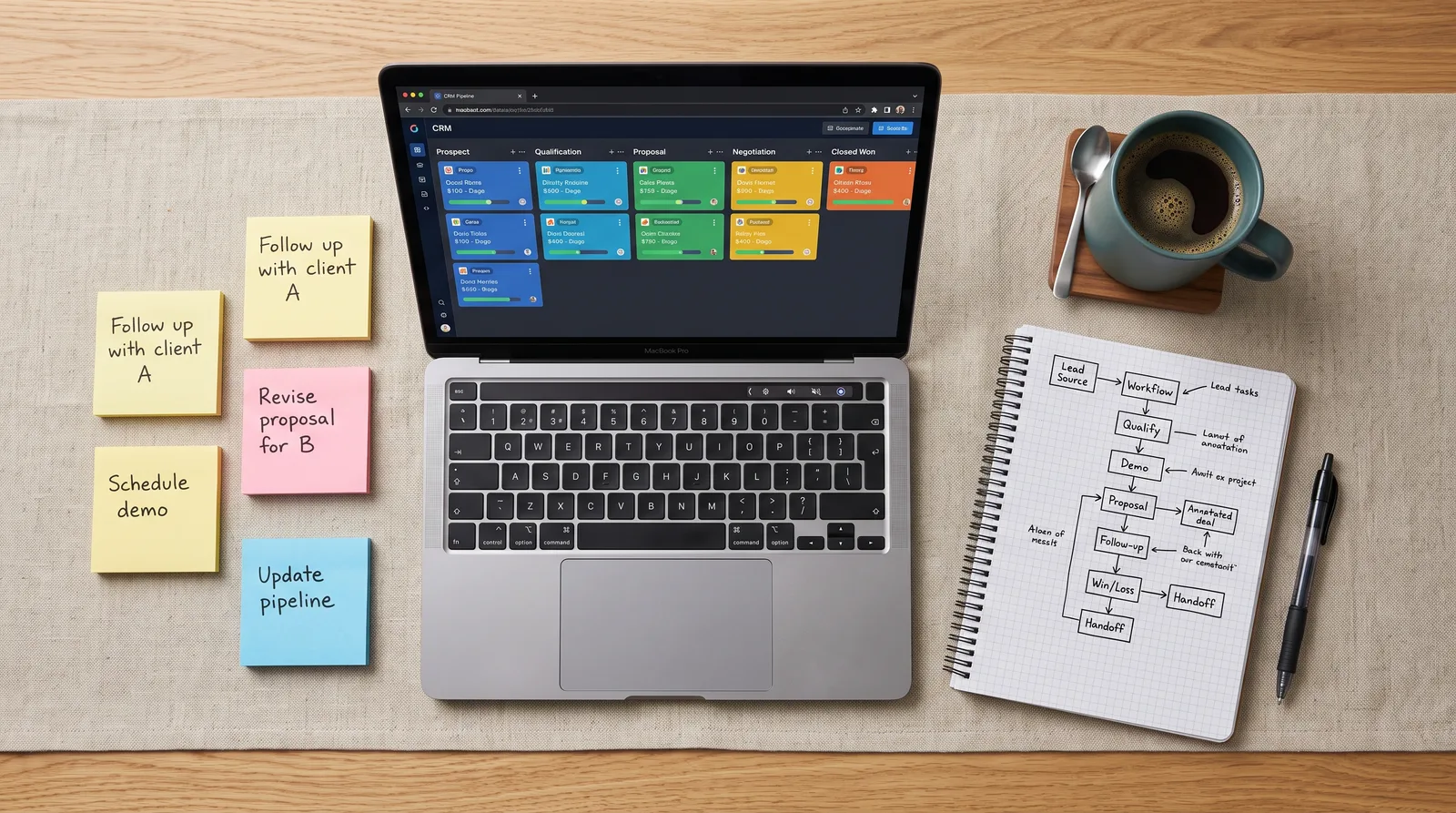
Turn the CRM you already pay for into your project management HQ
Step-by-step workflows for small business owners and ops leads who want to run pipelines, tasks, dashboards, and cross-functional teams — without buying yet another tool.

Your CRM is already 80% of a project management system — I'll show you how to close the gap without buying anything new.
— Beyond 40 Construction Training
What you'll learn
What you'll be able to do
- Map any project lifecycle onto a CRM pipeline with custom stages, fields, and owners
- Build automated task sequences and reminders so nothing falls through the cracks
- Create dashboards and reports that give stakeholders real-time project visibility
- Manage cross-functional teams and assign accountabilities entirely within your CRM
- Connect your CRM to email, calendar, and document tools to eliminate context-switching
- Audit an existing CRM setup and redesign it for project delivery — not just sales
How it works
A school that adapts to you
This isn't a set of static videos. Every lesson is generated live and tuned to where you actually are.
We learn your level
A quick placement check tailors your starting point so you're never bored or lost.
Lessons adapt as you go
Each lesson is written for your pace and your goal, adjusting as your skills grow.
Your AI coach keeps you moving
Checkpoints, feedback, and gentle nudges turn progress into a real result.
The curriculum
What's inside your school
6 modules · 26 lessons

Rethinking Your CRM as a Project Command Center
Reframes the CRM from a sales tool into a universal project management platform and maps core PM concepts onto CRM building blocks.
- 1.1Why Your CRM Is Already a Project Management ToolIncluded
- 1.2CRM PM vs. Dedicated Tools: When to Use WhatIncluded
- 1.3Auditing Your Current CRM SetupIncluded
- 1.4Designing Your Project Management BlueprintIncluded
Building Project Pipelines That Actually Work
Teaches you to architect custom pipelines, stages, fields, and ownership rules that mirror any project lifecycle — not just a sales funnel.
- 2.1Mapping a Project Lifecycle onto a CRM PipelineIncluded
- 2.2Custom Fields, Properties, and Record Types for ProjectsIncluded
- 2.3Setting Stage Rules, Entry Criteria, and Exit GatesIncluded
- 2.4Assigning Owners and Defining AccountabilitiesIncluded
- 2.5Pipeline Templates for Common Project TypesIncluded
Automating Tasks, Reminders, and Workflows
Covers building automated task sequences, deadline alerts, and status-driven workflows so no action item ever falls through the cracks.
- 3.1Task Objects, Subtasks, and Activity Queues ExplainedIncluded
- 3.2Building Automated Task Sequences by StageIncluded
- 3.3Deadline Reminders and Escalation AlertsIncluded
- 3.4Workflow Automation for Status Updates and HandoffsIncluded
Dashboards, Reports, and Stakeholder Visibility
Builds real-time dashboards and project reports that give stakeholders clear, always-current visibility without a separate reporting tool.
- 4.1Identifying What Stakeholders Actually Need to SeeIncluded
- 4.2Building a Project Status Dashboard from ScratchIncluded
- 4.3Custom Reports for Milestones, Blockers, and CapacityIncluded
- 4.4Sharing, Scheduling, and Permissioning Your ReportsIncluded
Managing Cross-Functional Teams Inside Your CRM
Enables collaboration across departments by configuring teams, roles, internal notes, and communication threads entirely within your CRM.
- 5.1Structuring Teams and Roles in Your CRMIncluded
- 5.2Using Internal Notes, Mentions, and Threads for CollaborationIncluded
- 5.3Running Project Meetings and Action Items from CRM RecordsIncluded
- 5.4Keeping Non-Sales Stakeholders Engaged in the CRMIncluded
Connecting Your CRM to the Rest of Your Workflow
Eliminates context-switching by integrating your CRM with email, calendar, documents, and other tools your team already uses daily.
- 6.1Email and Calendar Sync: Keeping Everything in One PlaceIncluded
- 6.2Linking Documents and Files to Project RecordsIncluded
- 6.3Integrating Slack, Teams, and Notification ChannelsIncluded
- 6.4Using Zapier, Make, or Native APIs for Custom ConnectionsIncluded
- 6.5Your 30-Day CRM Project Management Launch PlanIncluded
Who it's for
Is this you?

The overwhelmed ops manager
She's the one holding five tools together with Slack messages and weekly status emails — and she's ready to consolidate everything into the CRM her company already runs.

The small business owner
He bought a CRM for sales, but now he's also managing client onboarding, vendor projects, and internal initiatives — and it's all happening in his inbox.

The sales-adjacent team lead
He lives in the CRM for pipeline reviews but has never touched the automation or dashboard features — and his team's project tracking is still a shared spreadsheet.

The agency or consultancy PM
She delivers client projects from inside a CRM but built her setup by guesswork — she wants stage rules, accountability structures, and dashboards that actually reflect delivery reality.

The RevOps or BizOps specialist
He's been asked to make the CRM work for non-sales teams and needs a practical blueprint — not vendor documentation — to get there fast.

The operations-minded founder
She's scaling past the point where she can track everything herself and wants to build a CRM-based system her whole team can run without her in every thread.
Questions
Frequently asked
Your teacher
A note from your teacher
Beyond 40 Construction Training
Here's a situation I hear constantly: a business owner or ops lead tells me they're paying for HubSpot, Salesforce, or Pipedrive — and also paying for Asana, or Monday, or some combination of spreadsheets and Slack threads — because their CRM "only does sales stuff."
I get it. CRMs are sold as sales tools. The onboarding is geared toward sales. The default pipelines say things like "Proposal Sent" and "Closed Won." So it's completely reasonable that you looked at all those features and thought, this isn't built for what I need.
But here's what I've seen working with small business ops teams: the bones are already there. Pipelines, task automation, custom fields, dashboards, permissions, integrations — your CRM has all of it. What it doesn't have out of the box is the configuration that makes it work for project delivery instead of deal tracking. That's a design problem, not a platform problem. And it's 100% solvable.
That's what this school is. Not theory about "leveraging your tech stack." Actual decisions you need to make: What stages go in your project pipeline? What triggers an automated reminder? What does your stakeholder dashboard show, and who can see it? We work through all of it with real workflows — the kind you can open your CRM and start building during the lesson.
If you're tired of context-switching between four tools that should be one, and you're ready to use the system you already know and already pay for, this is where we start. I'll meet you inside.
— Beyond 40 Construction Training
Start your journey today
Get instant access — learn at your own pace with an AI coach in your corner.
$97 · 30 days access
One-time payment · no subscription
Secure checkout · Instant access
- 6 modules, 26 lessons
- AI-adaptive lessons tuned to your level
- Quizzes & checkpoints to lock in progress
- Your own AI learning coach
- Learn on any device, at your pace
- 30 days of full access