Turn your favorite photos into a keepsake album you'll love forever
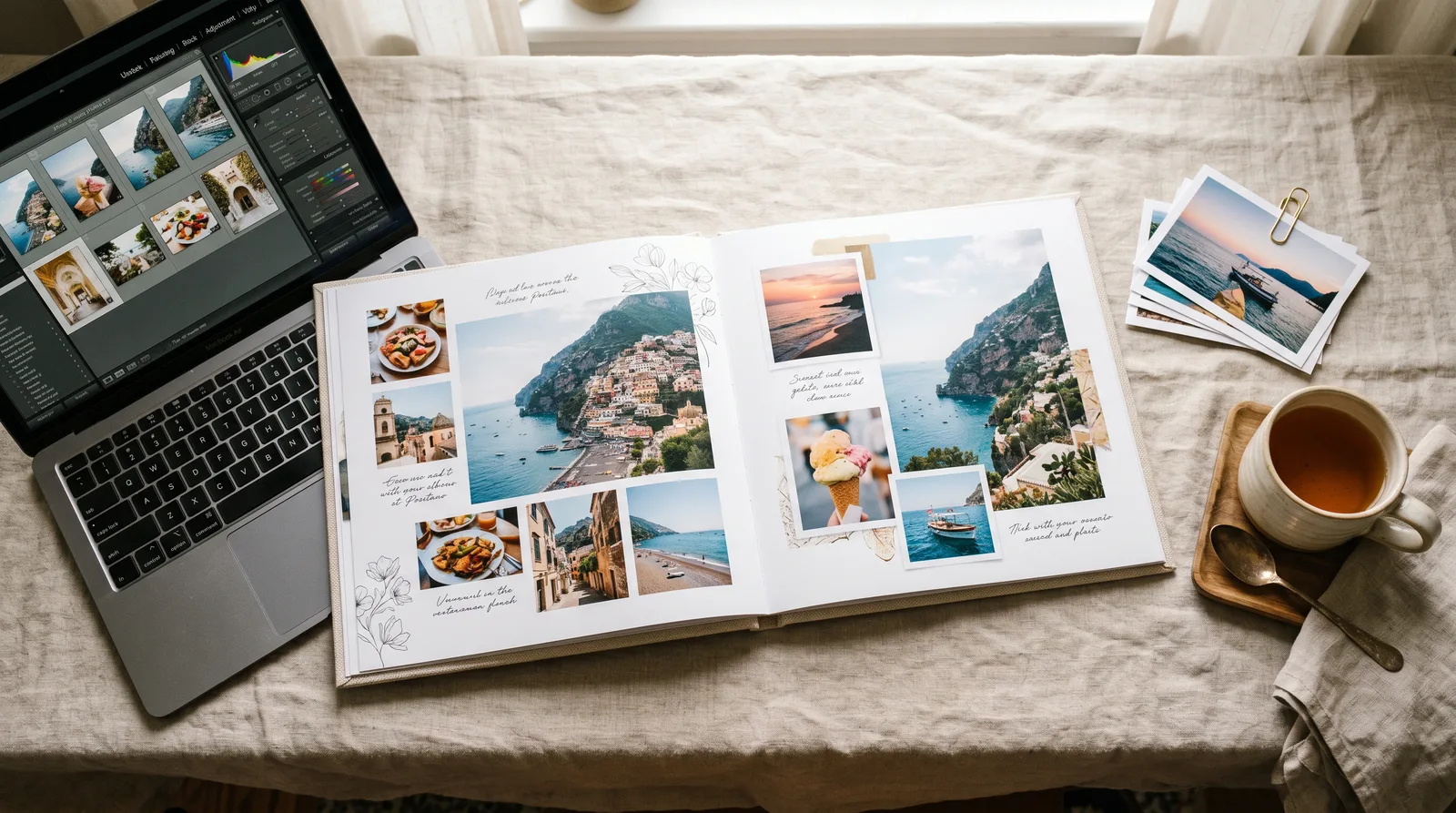
Learn to design stunning, print-ready photo albums on Mixbook.com — from first upload to finished keepsake. Turn your best memories into beautifully crafted books you'll treasure for a lifetime.

"Your photos already tell a beautiful story — I'm just here to show you exactly how to give that story a home."— Tracy Kristalakis
What you'll learn
What you'll be able to do
- Navigate Mixbook's editor confidently — uploading, organizing, and culling photos like a pro
- Choose and customize themes, layouts, and backgrounds to match any occasion or aesthetic
- Apply typography, captions, and embellishments that enhance photos without cluttering the page
- Use Mixbook's design tools to achieve consistent color, spacing, and visual flow across every spread
- Plan and structure a cohesive album narrative — whether for a wedding, vacation, baby's first year, or family reunion
- Export and order a print-perfect photo album, knowing exactly which size, paper, and cover options to choose
How it works
A school that adapts to you
This isn't a set of static videos. Every lesson is generated live and tuned to where you actually are.
We learn your level
A quick placement check tailors your starting point so you're never bored or lost.
Lessons adapt as you go
Each lesson is written for your pace and your goal, adjusting as your skills grow.
Your AI coach keeps you moving
Checkpoints, feedback, and gentle nudges turn progress into a real result.
The curriculum
What's inside your school
6 modules · 17 lessons

Getting Started on Mixbook
Orient learners to the Mixbook platform before any creative decisions are made. This foundational module ensures everyone can navigate the interface, import their photos, and organize their library — the essential prerequisites for every module that follows.
- 1.1Your First Look at MixbookIncluded
- 1.2Uploading and Importing Your PhotosIncluded
- 1.3Culling and Organizing Photos Like a ProIncluded
Planning a Cohesive Album Narrative
MOVED EARLIER — before any theme or layout is chosen, learners must understand the story they want to tell. Planning the narrative arc, page count, and album type now prevents costly redesigns later and directly informs every aesthetic decision in subsequent modules.
- 2.1Structuring Your Album Like a StoryIncluded
- 2.2Designing for Different Album TypesIncluded
Choosing and Customizing Your Theme
With narrative plan in hand, learners now choose a visual direction that serves their story. This module covers selecting, evaluating, and deeply customizing Mixbook's themes so the design feels intentional rather than template-generic.
- 3.1Picking the Right Theme for Your StoryIncluded
- 3.2Customizing Backgrounds and Color PalettesIncluded
- 3.3Working with Layouts and Photo PlaceholdersIncluded
Typography, Captions, and Embellishments
With layouts in place, learners add the textual and decorative layer. This module teaches the principles of type pairing, caption writing, and restrained embellishment so words and decorations enhance — never overshadow — the photos.
- 4.1Choosing and Pairing Fonts in MixbookIncluded
- 4.2Writing Captions That Add to the StoryIncluded
- 4.3Using Stickers and Embellishments Without ClutterIncluded
Design Consistency, Color, and Visual Flow
Now that individual pages are populated, learners zoom out to the whole-album level — ensuring every spread speaks the same visual language through consistent spacing, color use, and a sense of rhythm and pacing that carries the viewer forward.
- 5.1Spacing, Alignment, and the GridIncluded
- 5.2Maintaining Color Consistency Across SpreadsIncluded
- 5.3Pacing and Visual Flow Through the AlbumIncluded
Finishing, Proofing, and Ordering Your Album
Transform the completed design into a print-ready, ordered product. This final module covers thorough proofing, understanding Mixbook's print specifications, and making confident choices about size, cover, and paper — so the physical album matches the screen vision.
- 6.1Proofing Your Album Before You PrintIncluded
- 6.2Choosing Your Size, Cover, and PaperIncluded
- 6.3Placing Your Order and Sharing Your AlbumIncluded
Who it's for
Is this you?

The proud new parent
You've got hundreds of baby photos and zero idea how to turn them into the first-year keepsake book you've been dreaming about.
The travel memory-keeper
You return from every trip with gorgeous photos that sit in a folder forever — this course finally gets them into a printed travel album.

The newly married couple
You have a photographer's gallery full of wedding images and want a stunning, custom album that doesn't cost a small fortune to design.

The family reunion organizer
You're the one who collects everyone's photos every year — now you'll be the one who turns them into a keepsake the whole family fights over.

The everyday photographer
You shoot constantly on your phone or camera and want a beautiful, cohesive way to preserve your favorite moments beyond a screen.
The grandparent gift-giver
You want to create a heartfelt, professional-looking photo book as a gift — and you need every step explained in plain, friendly language.
Questions
Frequently asked
Your teacher
A note from your teacher
Tracy Kristalakis
Hey there — I'm so glad you found this place.
If you're anything like most of the people who come to this course, you have a phone bursting with photos you love but have never done anything with. Maybe you told yourself this would be the year you finally made that vacation album, or the baby book, or the wedding keepsake you've been meaning to put together for longer than you'd like to admit. And every time you sit down to start, you open a design tool, feel instantly lost, and close the tab.
I've been there. And I want you to know: it's not you. Most photo album tools assume you already think like a designer — and most of us just don't. That's exactly why I built The Mixbook Studio the way I did. Every single lesson is designed to feel like I'm sitting right next to you, pointing at the screen and saying "click here, then here, and here's why." No jargon, no assumptions, no skipping steps.
What you'll get in this course is a complete, honest walkthrough of the entire Mixbook process — from the very first time you open a project all the way to the moment you hold a printed book in your hands. We'll go through uploading and organizing your photos, building a story structure that actually makes sense, choosing layouts and themes that match your aesthetic, adding typography and captions without cluttering your pages, and maintaining a consistent, polished look from the very first spread to the very last. And then we'll walk through every single print option together so you order exactly the right thing.
I'm not here to turn you into a graphic designer. I'm here to give you the confidence and the clarity to make something genuinely beautiful — a book you'll pull off the shelf, hand to someone, and feel proud of. Your photos already tell a great story. This course just teaches you how to give that story the home it deserves.
I can't wait to see what you make.
— Tracy Kristalakis
Start your journey today
Join get instant access — learn at your own pace with an AI coach in your corner.
$29/mo
Recurring billing · cancel anytime
Secure checkout · Instant access
- 6 modules, 17 lessons
- AI-adaptive lessons tuned to your level
- Quizzes & checkpoints to lock in progress
- Your own AI learning coach
- Learn on any device, at your pace
- Full access for as long as you're subscribed