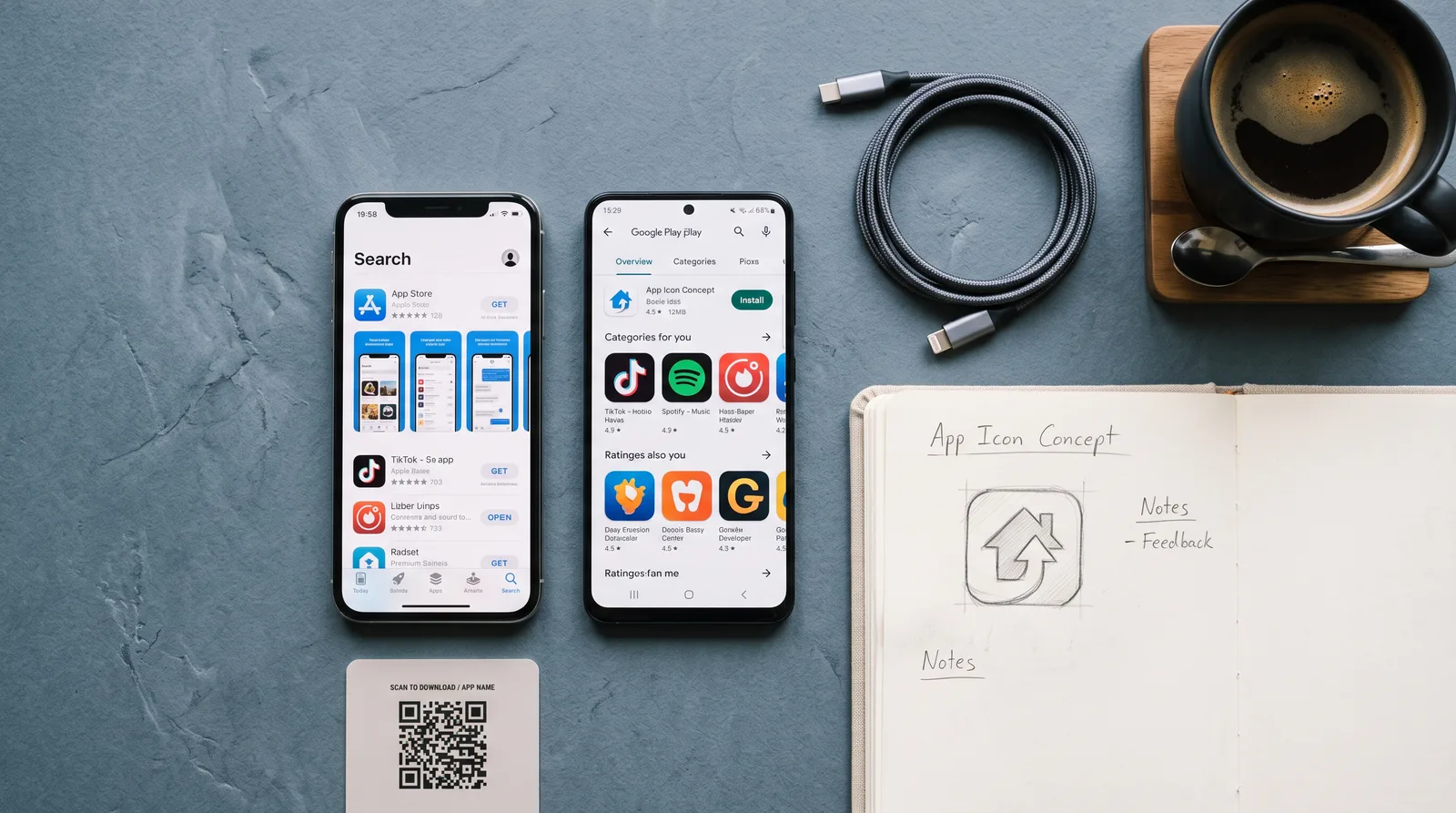
Ship your web app to the App Store and Google Play — no Swift, no Kotlin, no BS
Using no-code wrappers like Median.co and BuildNatively, Native Ship walks you through every click, cert, and gotcha — from localhost to listed on both stores in days, not months.

"You already built the hard part — I'm just going to walk you through the checklist that gets it in front of every iPhone and Android user on the planet."— Shari Johnson
What you'll learn
What you'll be able to do
- Configure and build a production-ready iOS and Android app from your existing web app using Median.co or BuildNatively
- Set up Apple Developer and Google Play Console accounts and navigate every required form, certificate, and key
- Design and export all required app icons, splash screens, and store screenshots that meet both stores' exact specifications
- Write a compelling App Store and Google Play listing — title, keywords, description, and category — optimized for discoverability
- Submit your app for review, interpret rejection messages, and resolve the most common rejection reasons on the first resubmission
- Publish updates, manage versioning, and release new builds to both stores confidently as your app evolves
How it works
A school that adapts to you
This isn't a set of static videos. Every lesson is generated live and tuned to where you actually are.
We learn your level
A quick placement check tailors your starting point so you're never bored or lost.
Lessons adapt as you go
Each lesson is written for your pace and your goal, adjusting as your skills grow.
Your AI coach keeps you moving
Checkpoints, feedback, and gentle nudges turn progress into a real result.
The curriculum
What's inside your school
6 modules · 26 lessons

From Web App to Mobile-Ready Foundation
Understand how no-code wrappers work and prepare your web app to behave like a true native mobile experience.
- 1.1How Median.co and BuildNatively Actually WorkIncluded
- 1.2Auditing Your Web App for Mobile ReadinessIncluded
- 1.3Choosing Between Median.co and BuildNativelyIncluded
- 1.4Configuring Your First ProjectIncluded
- 1.5Native Features Without Native CodeIncluded
Developer Accounts and Code Signing
Set up your Apple Developer and Google Play Console accounts and generate every certificate, key, and profile required to ship.
- 2.1Enrolling in the Apple Developer ProgramIncluded
- 2.2iOS Certificates, Identifiers, and Provisioning ProfilesIncluded
- 2.3Setting Up Google Play ConsoleIncluded
- 2.4Android Keystore and App SigningIncluded
App Identity — Icons, Splash Screens, and Screenshots
Design and export every visual asset both stores require, sized and formatted to exact specification.
- 3.1Designing Your App Icon for iOS and AndroidIncluded
- 3.2Building Splash Screens That Pass ReviewIncluded
- 3.3Capturing and Editing Store ScreenshotsIncluded
- 3.4Exporting Assets and Uploading to Your PlatformIncluded
Building and Generating Your Store-Ready Binary
Trigger your production builds, download your IPA and AAB files, and upload them to App Store Connect and Google Play Console.
- 4.1Triggering a Production iOS BuildIncluded
- 4.2Uploading Your iOS App via Transporter or App Store ConnectIncluded
- 4.3Triggering a Production Android BuildIncluded
- 4.4Uploading Your AAB to Google Play ConsoleIncluded
Writing Listings That Get Downloaded
Craft compelling, keyword-optimized App Store and Google Play listings that maximize discoverability and conversions.
- 5.1App Store Listing FundamentalsIncluded
- 5.2Google Play Listing FundamentalsIncluded
- 5.3Picking the Right Category and RatingIncluded
- 5.4Privacy Policy, App Privacy, and Data Safety FormsIncluded
Submitting, Surviving Review, and Shipping Updates
Submit your app for review, handle the most common rejections, and confidently ship ongoing updates to both stores.
- 6.1Submitting for iOS App Store ReviewIncluded
- 6.2Submitting for Google Play ReviewIncluded
- 6.3Reading Rejection Messages and the Top 10 Rejection ReasonsIncluded
- 6.4Resubmitting and Appealing DecisionsIncluded
- 6.5Publishing Updates, Versioning, and Managing Live ReleasesIncluded
Who it's for
Is this you?

Vibe coders
You AI-assisted your way to a working web app and now want to ship it to mobile without derailing into a new tech stack.

Solo SaaS founders
Your web app already has paying users and a mobile presence would unlock a whole new acquisition channel — without rebuilding from scratch.

Indie hackers
You ship fast and hate wasted motion — this course is the exact no-fluff checklist to get your project listed on both stores and move on.

No-code builders
You built your app on Bubble, Webflow, or Glide and want a real App Store presence without writing a single line of native code.

Freelance developers
Your clients keep asking for a mobile app and you want to deliver one confidently without adding 'iOS developer' to your résumé.

Side-project builders
You built something nights and weekends and want it on the app stores before your motivation window closes — this gets you there in days.
Questions
Frequently asked
Your teacher
A note from your teacher
Shari Johnson
Hey — if you're reading this, I'm going to guess you've been staring at your web app thinking "I should really get this on the App Store" for longer than you'd like to admit. Maybe you Googled it once, hit a wall of Xcode screenshots and code-signing jargon, and quietly closed the tab. I've been there. It feels like there's a velvet rope between web builders and the app stores, and only "real" mobile developers are allowed past it.
Here's what I found out: the rope is mostly just paperwork. Once I stumbled onto no-code wrappers, I realized that the actual hard part — building the product — was already done. What was left was a checklist. A long, annoying, occasionally infuriating checklist, but a checklist nonetheless. And once you've walked it end-to-end once, it stops being scary.
That's exactly what Native Ship is. It's the checklist I wish someone had handed me — with all the gotchas called out in advance. We go through Median.co and BuildNatively so you know which one fits your situation. We set up your Apple Developer account and Google Play Console without skipping the parts that trip everyone up, like certificates, provisioning profiles, and Android keystores. We design icons and splash screens that actually pass review. We write store listings that are optimized for real discoverability, not just filled in to clear a form. And we walk through the review process — including what to do when Apple sends you a rejection that reads like it was written in a foreign language.
I built this for indie hackers, solo founders, and vibe coders who don't have time to become mobile engineers. You built something worth shipping. This course gets it shipped. Come in, follow the steps, and let's get your app live on both stores.
— Shari Johnson
Start your journey today
Join get instant access — learn at your own pace with an AI coach in your corner.
$49/mo
Recurring billing · cancel anytime
Secure checkout · Instant access
- 6 modules, 26 lessons
- AI-adaptive lessons tuned to your level
- Quizzes & checkpoints to lock in progress
- Your own AI learning coach
- Learn on any device, at your pace
- Full access for as long as you're subscribed