

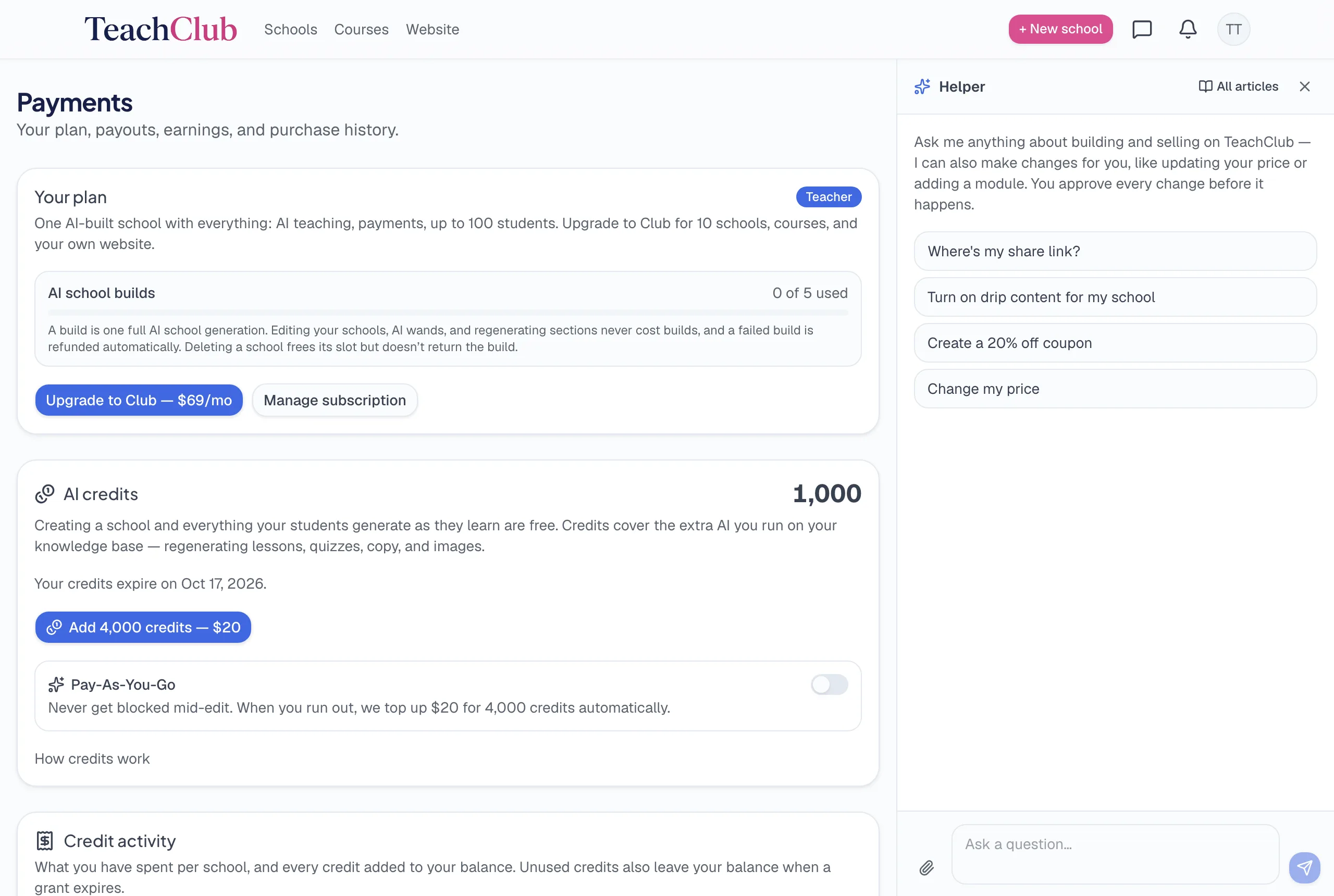
Every AI product has to answer the same awkward question: who pays for the computer doing all this thinking? TeachClub's answer is a credit system with one organizing rule, and once you know the rule, everything else on this page is just detail.
The rule of thumb
Building once and teaching students is free. Re-running AI on demand costs credits. If the AI is doing the thing the product promised — building your school, teaching the people who enrolled — you don't pay per use. If you're asking it to redo something on demand — paint me a new hero image, rewrite this again — that's metered.
Always free, forever
- Your school's initial build — the full generation: curriculum, lessons, sales page, art. (Covered by your plan's build allowance: 5 lifetime builds on Teacher, 30 on Club.)
- Everything your students generate while learning — lessons taught live, quizzes, feedback, every tutor question at 2am. Unlimited, at any student count. A school with 100 active students costs you the same as a school with 3.
- Your first AI website build (Club) — the one-time build of your teacher website: pages, copy, images.
- Your first AI blog articles — after those, AI-written articles are metered.
The student line deserves the emphasis: your success case — lots of active students learning heavily — is exactly when per-use billing would hurt most, so it's exactly what's never metered. The platform's share of sales is what keeps the classroom lights on.
What uses credits
- Regenerating images — sales-page art, lesson illustrations, website images. Flat rate per image, shown before you run it.
- AI rewrites you request — "Edit with AI" on a field, regenerated lesson bodies, quizzes, curriculum drafts.
- Applying copy the assistant drafted for you — headline options, rewritten sections, blog posts written in chat. Asking and previewing is always free; the charge (shown on the card) happens only when you click to apply. If you dictate the exact wording yourself, applying it is free.
- Lesson animations — premium model, costs more than text.
- Rebuilding your website after the free first build.
- Ad creatives and social posts generated in Marketing.

What credits cost
| Amount | Expiry | |
|---|---|---|
| Welcome credits (every new account) | 1,000 | 30 days |
| Top-up | 4,000 for $20 | Never expires |
| Auto top-up (optional) | 4,000 for $20, when you run out | Never expires |
Spending draws from the soonest-expiring credits first, so the free welcome batch gets used before anything you paid for. And because purchased credits never expire, a single $20 top-up isn't a subscription-shaped commitment — it's a tank of gas that waits for you.
A realistic first month, in credits
Here's roughly what a typical first month of polishing a new school looks like — a teacher who builds, then spends an evening or two making it theirs:
| Action | Rough credits |
|---|---|
| Build the school | 0 (build allowance) |
| Regenerate the hero image twice until it feels right | ~580 |
| A few AI rewrites of headline / sections | ~360 |
| Students enrolled and learning all month | 0 |
| Total | ~940 — inside the free welcome 1,000 |
Most first months fit inside the welcome credits. Heavy re-generators — people who iterate images a dozen times — buy a top-up and it lasts because it never expires.
If your school has helpers
AI work that an assistant runs on your school charges your balance, never theirs — the school's owner funds the school's AI, no matter who clicks the button.
The bottom line
Credits are the meter on the optional stuff, not the product. You can run a full teaching business here — school built, students learning daily — while touching credits only when you feel like repainting the storefront. The costs you'd actually worry about (your students' learning, at scale) are the ones that were made free on purpose.