

"AI-built course" can mean almost anything in 2026 — from a ChatGPT outline pasted into a template to something genuinely new. This page is the specific answer for TeachClub: exactly what gets generated, what keeps running afterward, what it deliberately doesn't do, and where your own material fits in.
The build: five pieces, a few minutes
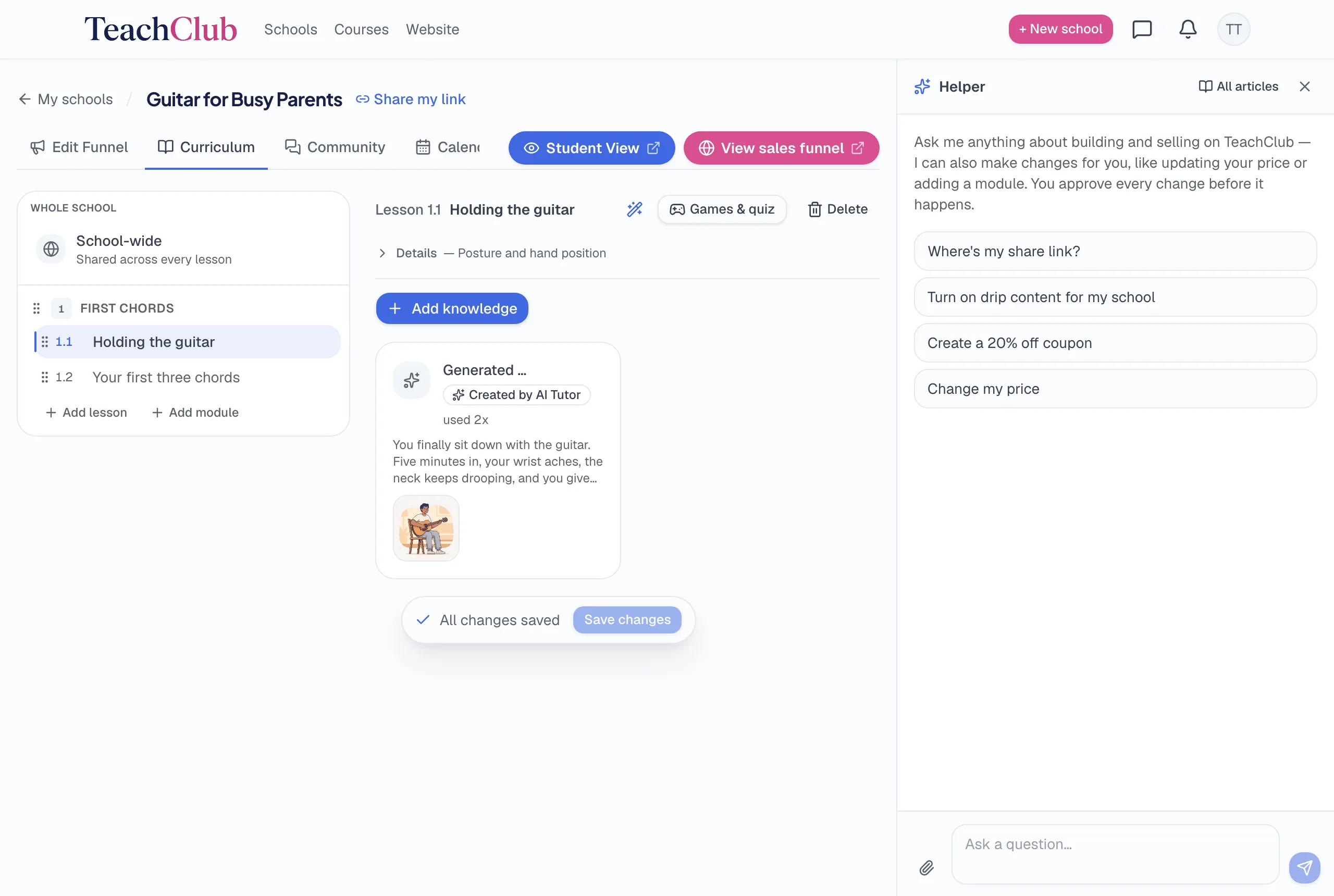
1. A structured curriculum
Your description becomes modules in a sensible teaching order, each holding individual lessons with clear goals. This is the part beginners underestimate: knowing what order to teach things in is a skill, and it's the first thing the AI does for you. You can add, remove, rename, and reorder everything afterward.
2. The lessons themselves
Not placeholders — actual teaching content, written to be taught interactively rather than read like a PDF. Each lesson carries its teaching points, and (see below) is delivered as a conversation with the student, not a wall of text.
3. Quizzes
Understanding checks are generated per lesson, and students get feedback rather than just scores. You can pin your own quiz questions on any lesson if you want specific things tested your way.
4. A sales page
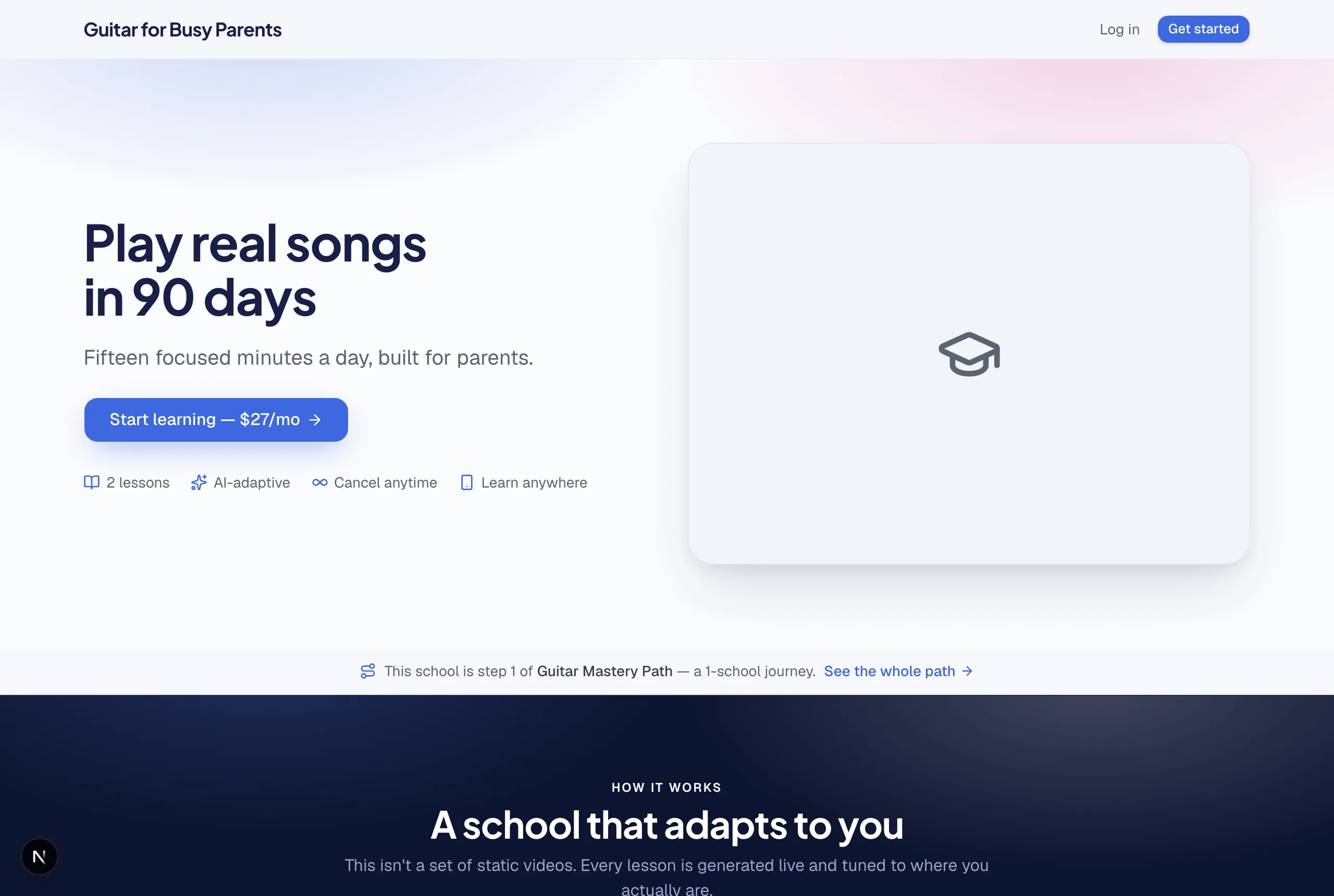
Headline, subheadline, benefits, an about-the-teacher section, FAQ, imagery — written for the person you described, not mad-libs filler. It's a real landing page with a real enrollment button, live at its own link the moment the build finishes.
5. Pricing and checkout
The school comes wired to a working payment system with a suggested price you can change — one-time, monthly, every 6 months, or yearly. There is nothing to connect or configure. (How the money works.)
The part people miss: it keeps teaching after the build
This is the real difference between TeachClub and "AI course generators." A generator's job ends when the content exists. TeachClub's AI is the teacher: when a student opens a lesson, it teaches interactively — explaining, asking, adjusting to their answers — and when they're confused at 11pm on a Sunday, they ask the tutor and get an answer built from your material, not from the open internet.
- Adaptive pace — a struggling student gets more steps; a quick one moves faster. Same curriculum, different ride.
- Questions answered anytime — the tutor draws on your lessons and uploads, so the answers sound like your school, not like a search engine.
- No marginal cost to you — your students' learning never costs you anything extra, whether you have 3 students or 100.
Feeding it your knowledge (the step that separates good schools from generic ones)
Out of the box, the AI teaches your topic competently. Fed with your material, it teaches your way — and that's the moat no other teacher can copy. You can attach, to a single lesson or the whole school:
- Documents — PDFs, notes, worksheets, checklists you've made over the years.
- Videos — yours or links; the AI builds lessons around them and can be told to "show this first."
- Links — articles, resources, your own site.
- Plain notes — even a typed-out rant about how everyone teaches this topic wrong. Especially that.
The AI treats your uploads as the source of truth for what it teaches. This is also the honest answer to "won't AI make my course generic?" — it's generic exactly to the degree you leave it unfed.
What it deliberately doesn't do
- No full-length teaching videos. Lessons include short animated illustrations, but the AI doesn't produce a talking-head video course. If video matters to your topic, upload your own — and if the camera is the reason you never started, that's now optional.
- No invented credentials or claims. The sales page it writes describes your teaching; it won't fabricate results, testimonials, or qualifications — and neither should you.
- No hands-on correction. The AI can explain, quiz, and answer, but it can't physically adjust a student's grip or watch their form live. Skills that need in-person correction want a hybrid: school for the knowledge, sessions for the hands.
Editing after the build
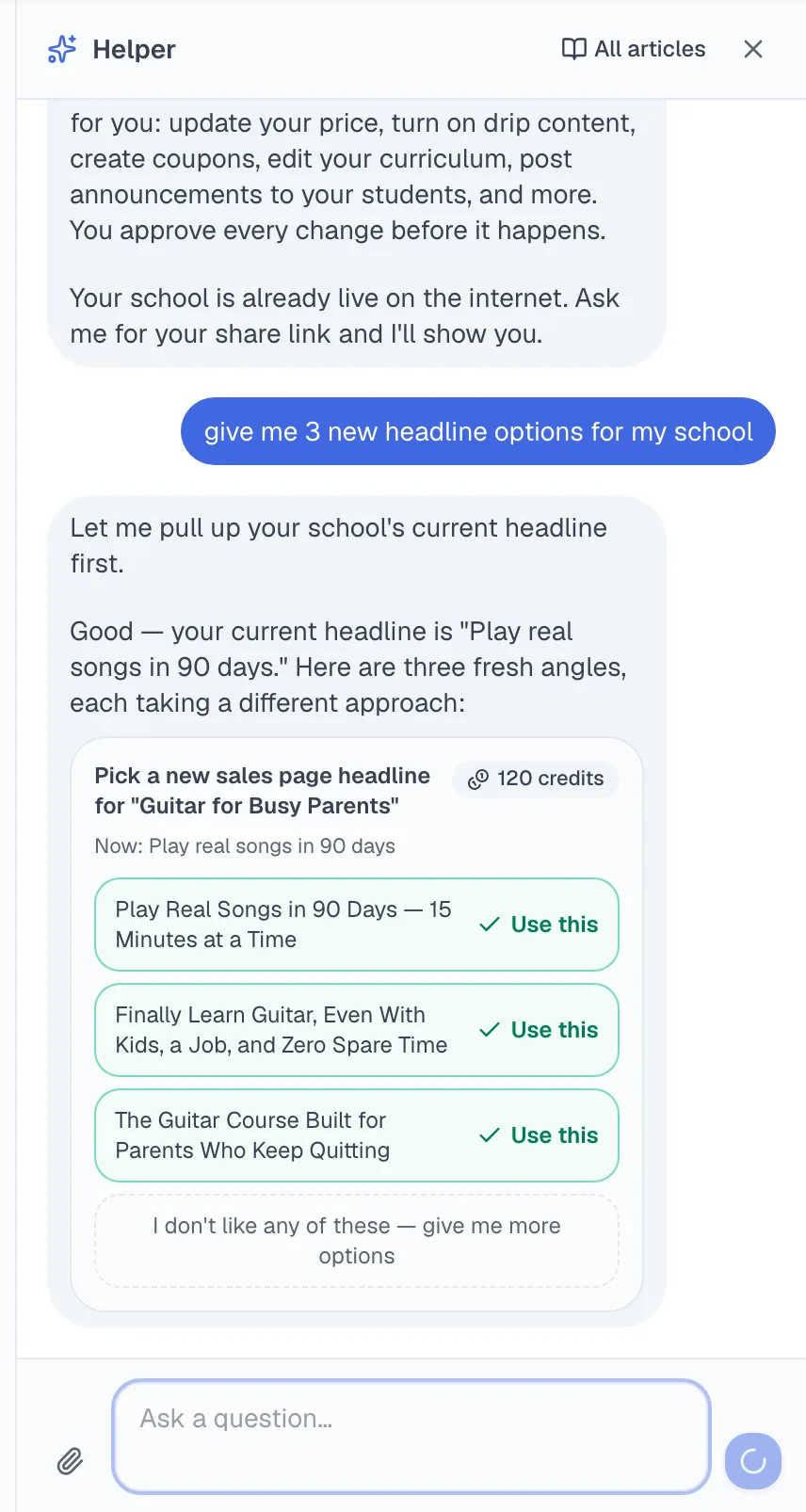
Three ways, in increasing order of laziness — all legitimate: click any field and type; use the per-field AI rewrite when you want alternatives; or tell the built-in assistant what you want in plain English ("make the headline about retirees", "add a module on tax season") and approve the change it shows you. Nothing goes live without your approval.
The honest summary
The AI builds the structure, the content, the storefront, and then staffs the classroom — that part is real and it's the whole point. What it doesn't replace is the reason anyone would enroll: your specific knowledge and your angle. Bring those, feed the machine, and what comes out is your teaching — running without your calendar.