

The 30-second version
- You describe what you teach — one text box, plain English.
- The AI builds your school — curriculum, lessons, sales page, pricing, checkout. Minutes, not months.
- You make it yours — review everything, upload your own materials, change anything.
- You share one link — your school is live on the internet from day one.
- Students enroll and learn — the AI teaches them interactively, from your knowledge.
- You get paid — card payments are processed for you; your earnings go to PayPal.
That's the whole loop. The rest of this page walks through each step with screenshots, so you know exactly what you're getting into before you spend a dollar.
Step 1: You describe what you teach
There is no setup wizard, no template gallery, no course-outline homework. You get one text box, and you write in it the way you'd describe your teaching to a friend. Two real examples of the kind of description that works:
- "I teach busy parents how to actually learn guitar in 15 minutes a day — real songs fast, no music theory up front, steel-string acoustic."
- "I help first-time landlords screen tenants, handle deposits, and avoid the five legal mistakes that get people sued in small claims court."
Notice what both have: a specific person (busy parents, first-time landlords), a specific outcome (real songs fast, avoid getting sued), and the teacher's actual angle. The more specific you are, the better the school that comes out. You don't need to know how to structure a course — that's the next step's job.
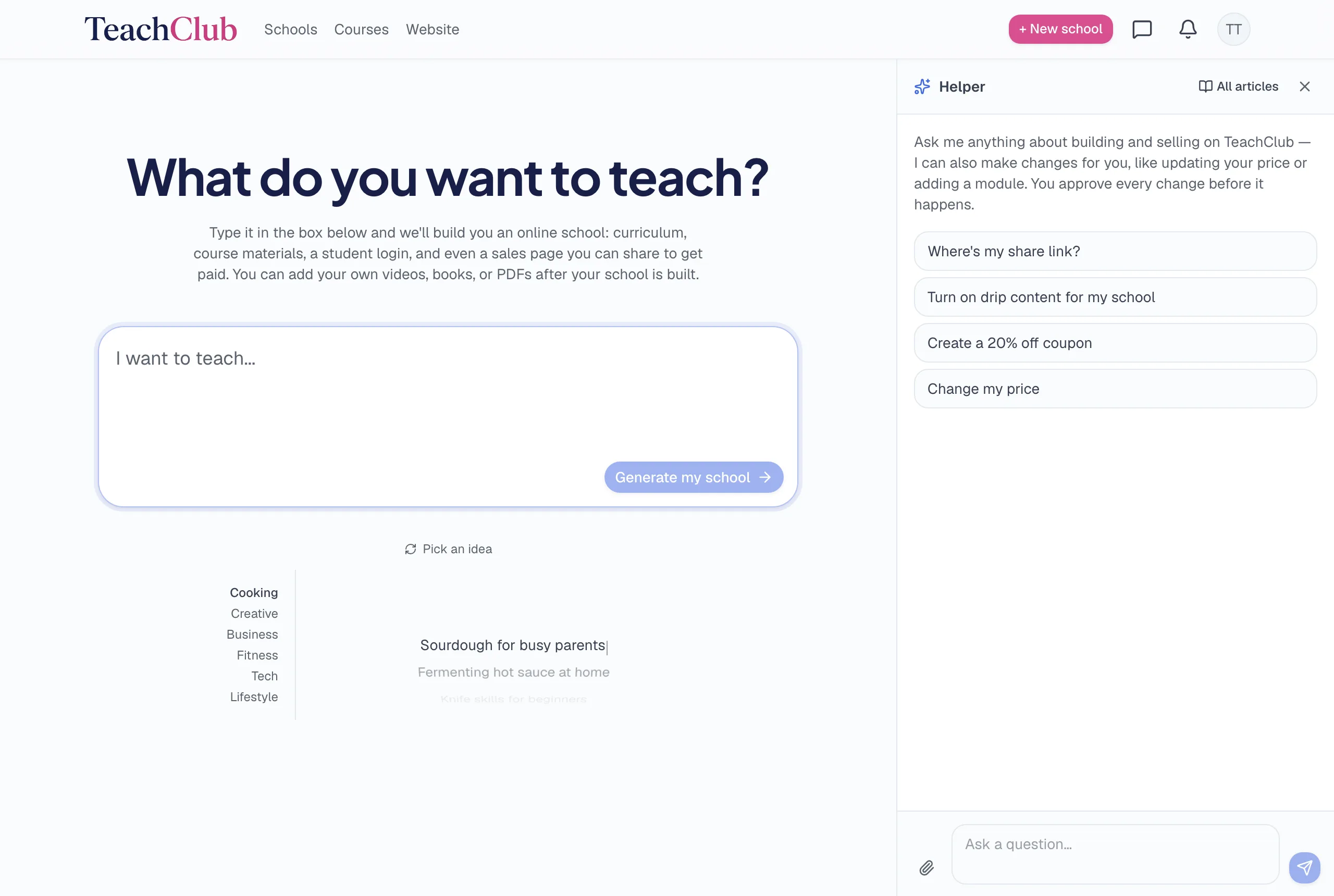
Step 2: The AI builds your school while you watch
This is the part that sounds like marketing until you see it. From your description, TeachClub generates a complete school:
- A structured curriculum — modules in a sensible teaching order, each with individual lessons.
- The lessons themselves — interactive teaching content, not empty placeholders to fill in later.
- Quizzes that check understanding as students move through.
- A sales page — headline, subheadline, benefit sections, FAQ, imagery — written for the person you described, not generic filler.
- Pricing and checkout — a suggested price you can change, wired to a working payment system.
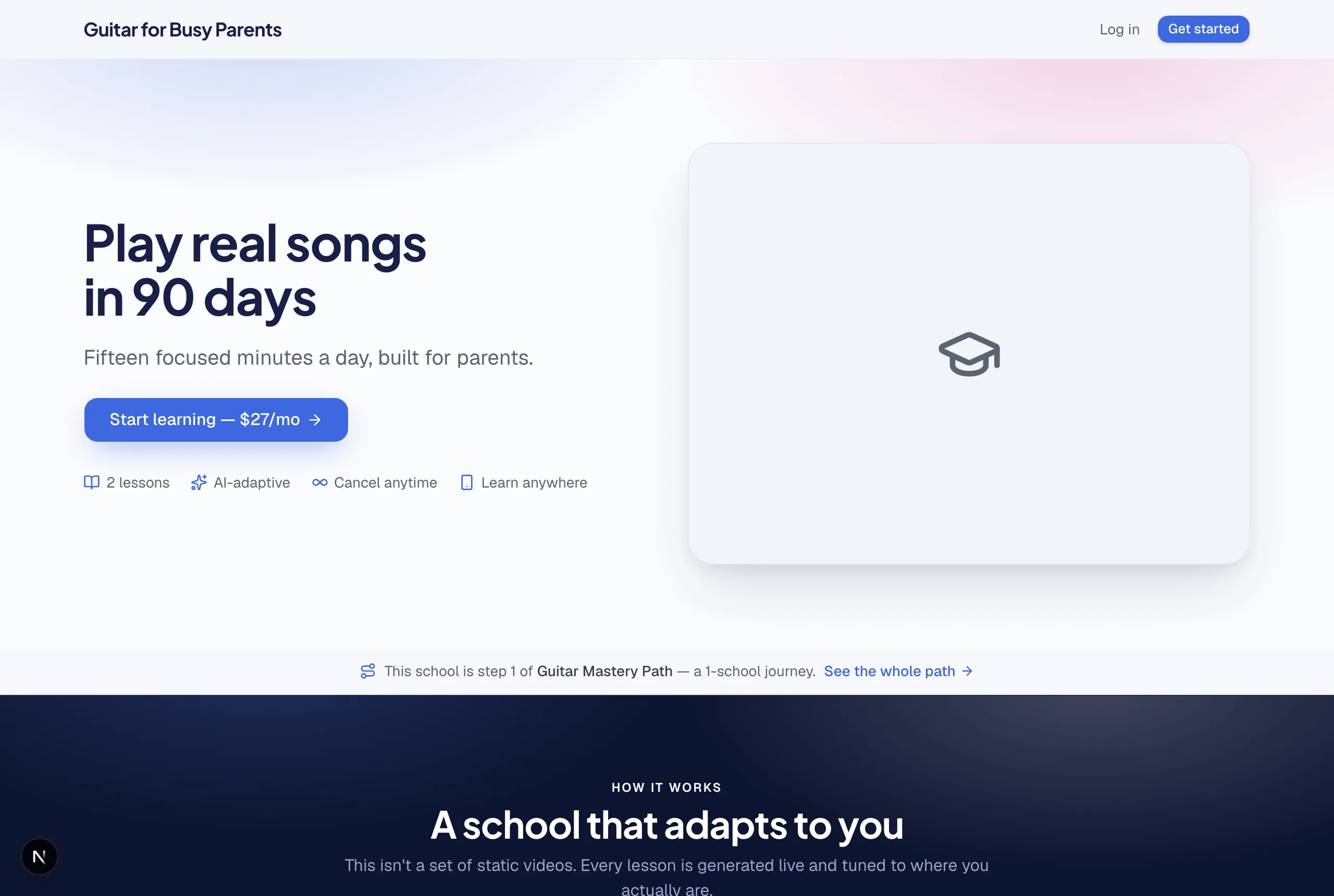
The build takes minutes, and you watch it assemble in front of you. Nothing goes live to anyone else until you've seen it — but the school is real the moment it finishes: a working sales page, a working checkout, working lessons.
Step 3: You make it yours
The AI's first draft is a strong starting point, not the finished product. The teachers whose schools sell treat this step as the real work — and it's still measured in hours, not weeks:
- Read the lessons. Fix anything that isn't how you'd say it. Every field is click-to-edit.
- Upload your materials. PDFs, videos, links, notes — attach them to specific lessons or the whole school, and the AI teaches from your content, in your sequence. You can even tell it "show this video first."
- Adjust the sales page. Swap imagery, rewrite the headline, set your price and how you charge — one-time, monthly, every 6 months, or yearly.
And if editing screens aren't your thing, you can do nearly all of it by asking. The built-in assistant makes changes for you in plain English — "change my price to $37", "make the headline about retirees" — and shows you exactly what will change before anything goes live. Nothing happens without your approval.
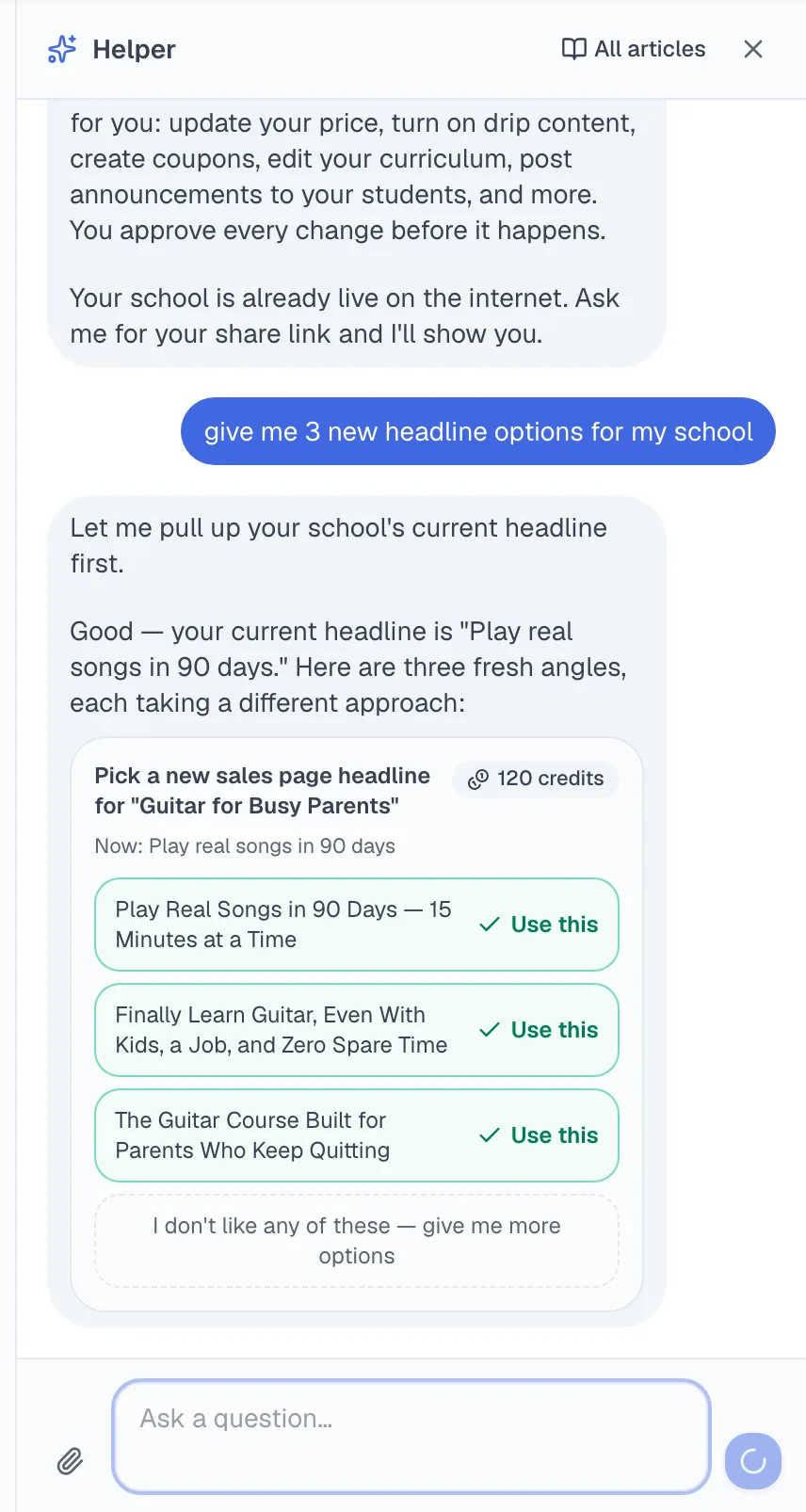
Step 4: You share one link
Your school lives at its own address from the moment it's built — there's no separate "launch" step, no hosting to configure, no domain required (though you can connect your own on the Club plan). Sharing it looks like sharing anything else: text the link to a friend, post it in a group, put it in your email signature, run a small ad to it.
Step 5: Students enroll, learn, and get taught — without you in the room
When someone clicks your link and pays, everything after that is automatic: they get an account, land in your school, and start learning immediately. What they experience:
- Interactive lessons taught by AI from your curriculum and your uploaded materials — on their laptop or their phone.
- A tutor that answers questions — at 2am, on a Sunday, in the middle of lesson four — using your content as its source.
- Quizzes and progress tracking, so they always know where they are.
- Your brand throughout — your school's name, logo, and colors, and emails that arrive under your school's name.
This is the difference between TeachClub and a course hosting platform: the product isn't a video player with a paywall. The AI actively teaches each student, adapting to their pace. Your knowledge scales without your calendar.
Step 6: You get paid
The entire payment system already exists — you never create a payment account, configure a checkout, or send an invoice. Students pay by card at your school's checkout; TeachClub processes the payment, handles receipts, refunds, disputes, and sales tax; and your share accrues to your balance, paid out to your PayPal email. Setting up payouts is literally one field: your PayPal address. (If you make a sale before adding it, the money waits safely.)
The full economics — what you keep, the pricing options, and the different route for teachers who sell through their own funnels — are laid out with real examples in How much does TeachClub cost? and How you get paid.
What it costs
The Teacher plan is $27/month: one complete school, up to 100 students, with the AI teaching all of them included. There's no setup fee and no contract — you can cancel yourself from your own account in about a minute (here's exactly what happens if you do). The full plan breakdown, including the Club tier for people running multiple schools, is in the pricing guide.
The honest summary
TeachClub removes every technical and structural reason you haven't turned your knowledge into a school: the course-building, the website, the payments, the teaching itself. What it can't remove is the part that's yours — deciding to be specific about what you teach, and telling people your school exists. If you can do those two things, the machine handles the rest.