

Somewhere there's a version of you that already started — then hit a domain registrar, a hosting dashboard, a payment-processor application, and a plugin that broke the whole thing on a Tuesday. That's the experience "I'm not techy" is actually remembering. So instead of reassurance, here's an inventory: every technical thing an online course business requires, and who does it here.
The list of things you never touch
| The technical thing | Who normally makes you do it | On TeachClub |
|---|---|---|
| Buying a domain & hosting | Every website builder | Done — your school is live at its own link |
| Designing the website | Wix/Squarespace/WordPress | Done — the AI builds the page; you edit by clicking |
| Payment processor setup | Stripe/PayPal applications, keys, webhooks | Done — checkout exists on day one; you add one PayPal email |
| Student accounts & logins | Membership plugins | Done — buyers get accounts automatically |
| Course delivery & drip | The LMS you'd have to learn | Done — the AI teaches, tracks, and quizzes |
| Email receipts & reminders | An email tool + automations | Done — sent under your school's name |
| Security, backups, updates | You, at midnight, in a panic | Done — not your problem |
Read the left column again — that's the pile that's been stopping you, and it's not a skills gap. It's a list of jobs that this product simply took.

What you actually do
- Type what you teach into one box, the way you'd tell a friend.
- Read what the AI built — the lessons, the page — like reviewing a document.
- Change what you don't like by clicking it and typing, the same motion as editing an email.
- Share your link — text it, post it, put it in your signature.
That's the complete technical job description. No dashboards to master, no settings maze, nothing to install. (The full walkthrough, with screenshots.)
The part built specifically for you: changes in plain English
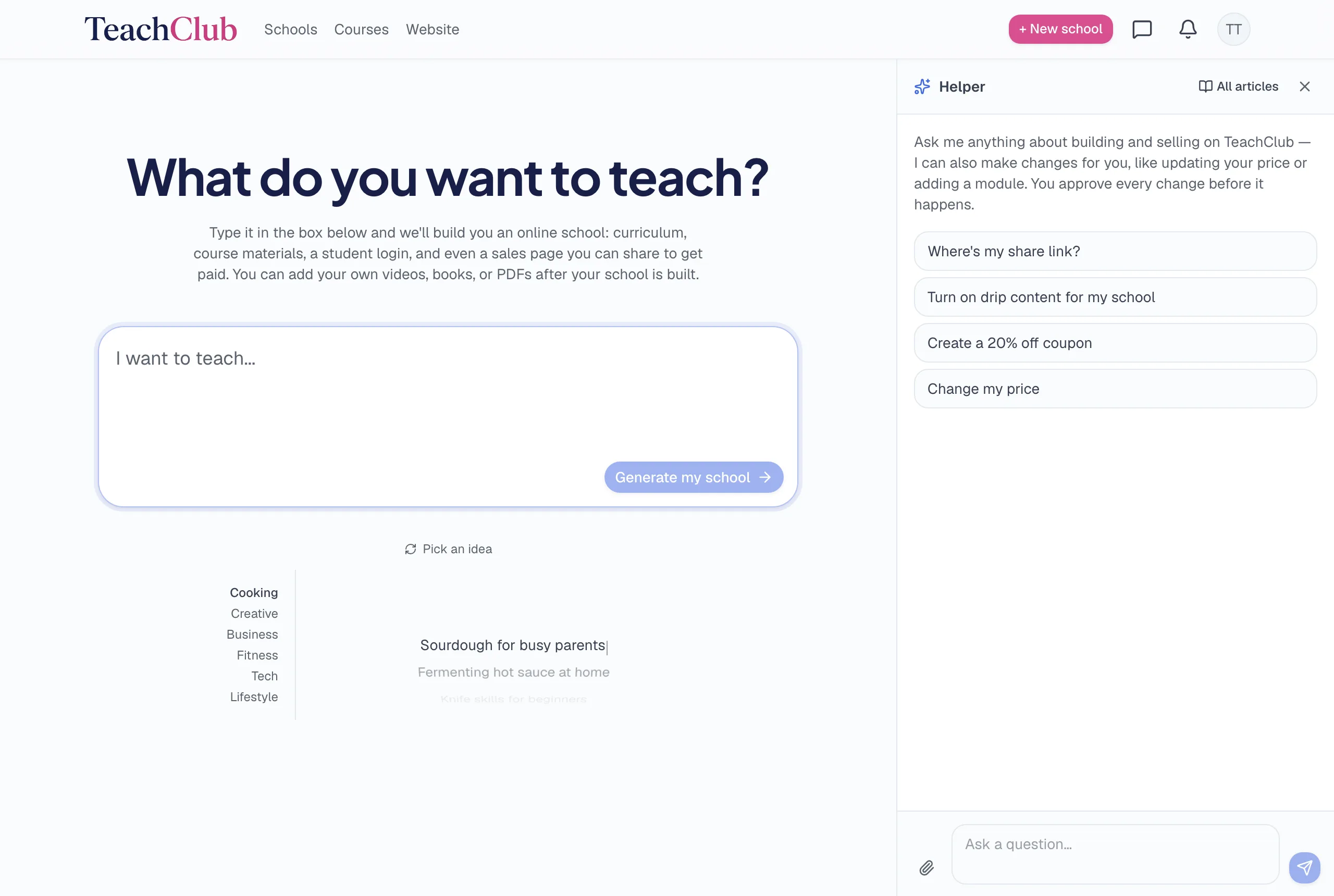
Even click-to-edit assumes you enjoy poking around screens. If you don't, there's a built-in assistant that works the way you'd delegate to a helpful grandkid: say what you want, look at what it proposes, approve it.
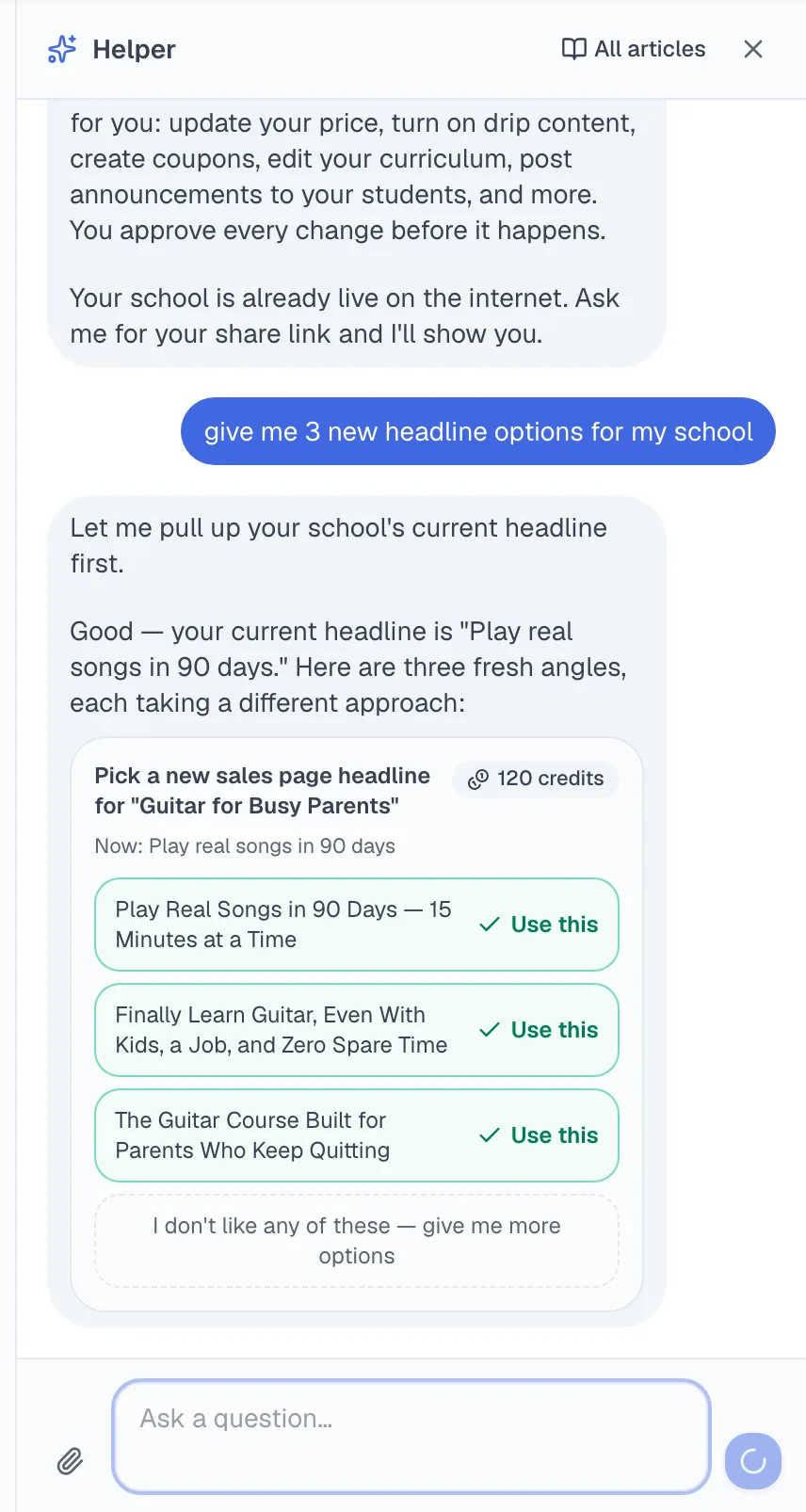
- "Change my price to $37" — done, after you confirm the card it shows you.
- "Make the headline about retirees" — it drafts options; you pick one.
- "Add my PDF to lesson three" — attach the file in the chat, tell it where it goes.
- "Where's my share link?" — it answers questions too; it's not only a lever-puller.
Nothing ever changes without your approval. Every action shows you a card describing exactly what will happen; you click confirm or you don't. It's tech support, secretary, and editor in one box — and it never sighs at you.
The honest bar, and the one hard skill left
The real test: if you can send an email with an attachment, you can run a school here. That's not marketing flattery — reread the four-step job description above; nothing in it is harder than that.
The bottom line
"I'm not good with technology" was a fatal objection in 2015, a real hurdle in 2020, and today it's a memory of old tools. The technology now writes, designs, teaches, charges, and fixes itself when you ask in plain English. Your grandkids will not need to be summoned. The only thing left that requires you is the knowledge — which is the part you've had all along.