

Branding questions are really trust questions in disguise: if I send people here, does it look like mine? Here's the complete answer in one table, then the details — including the two honest exceptions and why they exist.
The two-column answer
| Yours | TeachClub's |
|---|---|
| School name, logo, and colors — every page | The checkout page |
| Favicon (browser-tab icon) — per school, course, and website | The card statement descriptor |
| Sender name on student emails (welcome, receipts, event reminders) | The account students sign in with |
| Link previews when you share (your hero image + headline) | |
| Custom domain + multi-page website (Club) | |
| Your blog, on your domain (Club) |
What "yours" looks like in practice
- On the page: your school's name and logo in the header, your imagery, your colors. Students scrolling your sales page or sitting in lesson four are inside your brand the whole time.
- In the browser tab: upload your own favicon and even the pinned tab reads as your school. Each school and course can have its own.
- In the inbox: when a student gets their welcome email or an event reminder, the sender is your school's name — the moment most "white-label" platforms leak, handled.
- In the link preview: paste your link into a text or a group chat and the card that unfurls is your hero headline and image.
- On your own domain (Club): yourschool.com pointing at your school or your full teacher website — the last visible trace of a platform gone from the address bar.

The two exceptions, and the honest why
Checkout and the card statement say TeachClub. One reason, said once: the platform is the merchant of record. When your student pays, TeachClub is the legal seller — it processes the card, issues the receipt, answers the dispute, files the sales tax. That's an enormous amount of risk and paperwork you never touch, and the trade is that the entity doing it puts its name on the transaction. Students also hold TeachClub accounts — that's the identity their AI tutor, progress, and access hang off.
Does the branding seam actually cost you sales?
In practice, students care that the learning experience looks professional and that the person charging them is findable — both of which cut in your favor here. The buyer sees your brand at every decision moment: the page that convinced them, the lessons that retain them, the emails that remind them. The checkout flash is the same anonymous moment it is on nearly every platform on the internet.
Setting it all up
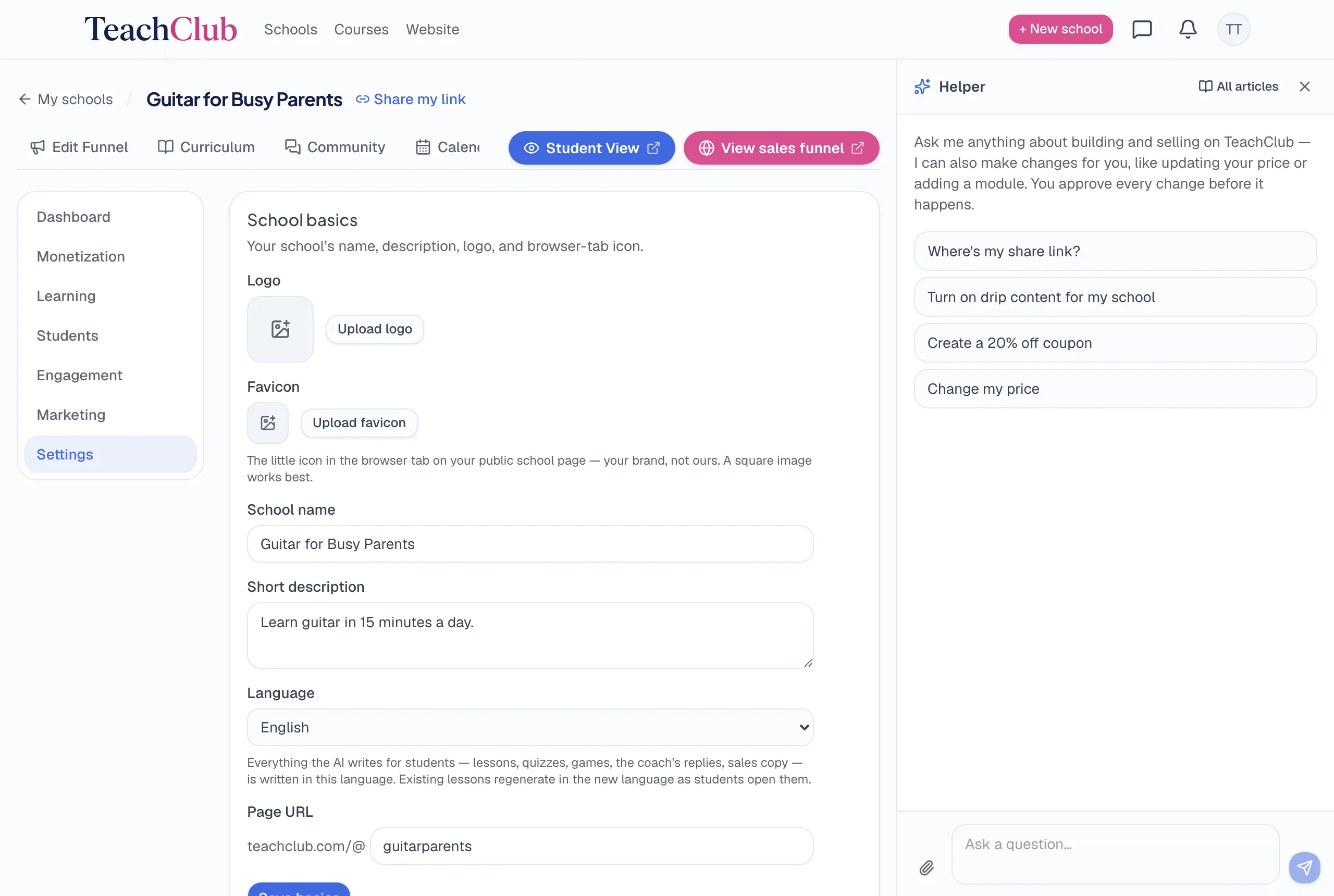
- Logo, colors, imagery — set when the AI builds your school; change anytime in your school's settings or by asking the assistant.
- Favicon — upload in school settings (or just attach the image in the assistant chat and say "make this my favicon").
- Custom domain (Club) — connect a domain you own from the Domains page; your school or website lives there.
The bottom line
Everything a student sees, learns from, and receives carries your brand on every plan; Club puts it all on your own domain. The platform's name survives in exactly two places, both attached to the legal and financial machinery you'd otherwise have to run yourself. That's the whole map — no surprises left to find.