

The most important sentence in this guide comes first: when you sell outside TeachClub and bring the buyer in, you keep whatever you charged them. Sell a $500 package on your own funnel, a $200 cohort on your website, a $1,000 coaching bundle by invoice — none of that revenue touches TeachClub. What you pay is a flat per-seat fee to run each student through your school. For premium sellers, the math is almost embarrassing, so let's do it in public. Facts checked September 17, 2026.
The money, up front
The seat fee is *40% of your school's listed price — $9 minimum — per 30-day access window.* Not 40% of your outside sale. Your school's listed price is the anchor, and it's usually far below what a premium package sells for:
| You sold outside for | Seat fee per 30-day window | Effective platform take on the sale |
|---|---|---|
| $97 (a workshop) | $10.80 | ~11% first month |
| $500 (a package) | $10.80 | ~2% first month |
| $1,000 (a bundle) | $10.80 | ~1% first month |
| $0 (a bonus for a client) | $10.80 | your gift, at cost |
- The fee recurs per 30-day window while the seat stays active — a $10.80/month cost of serving that student, which you priced into your $500 sale the moment you read this table.
- Auto-renew is per seat. Keep a student active for the length you promised, then let the seat lapse — or leave it renewing for your best customers.
- Free schools grant free. If your school's price is $0, seats cost nothing — imports to a free community school are simply free.
- No gaming the anchor: dropping your school's listed price right before a big import doesn't work — the fee basis holds at the old price for a window. Price your school honestly and the math above is yours.

The two-phase move (don't burn the boats)
- Phase one — run both. Keep your current platform selling exactly as it does today. Build your TeachClub school in an afternoon, upload your materials, and enroll a handful of your friendliest existing students. Let them compare the experiences for two weeks.
- Phase two — move the flow. If the teaching experience wins (interactive lessons and a 2am tutor versus a video library — it usually does), point new sales here: either the built-in checkout, or keep your funnel and import buyers. Migrate the remaining roster by CSV, then wind the old platform down on your schedule.
Nothing in this plan has a cliff. The worst case of phase one is a month of double subscriptions — $27 here — to find out with real students instead of guessing.
How enrollment actually works
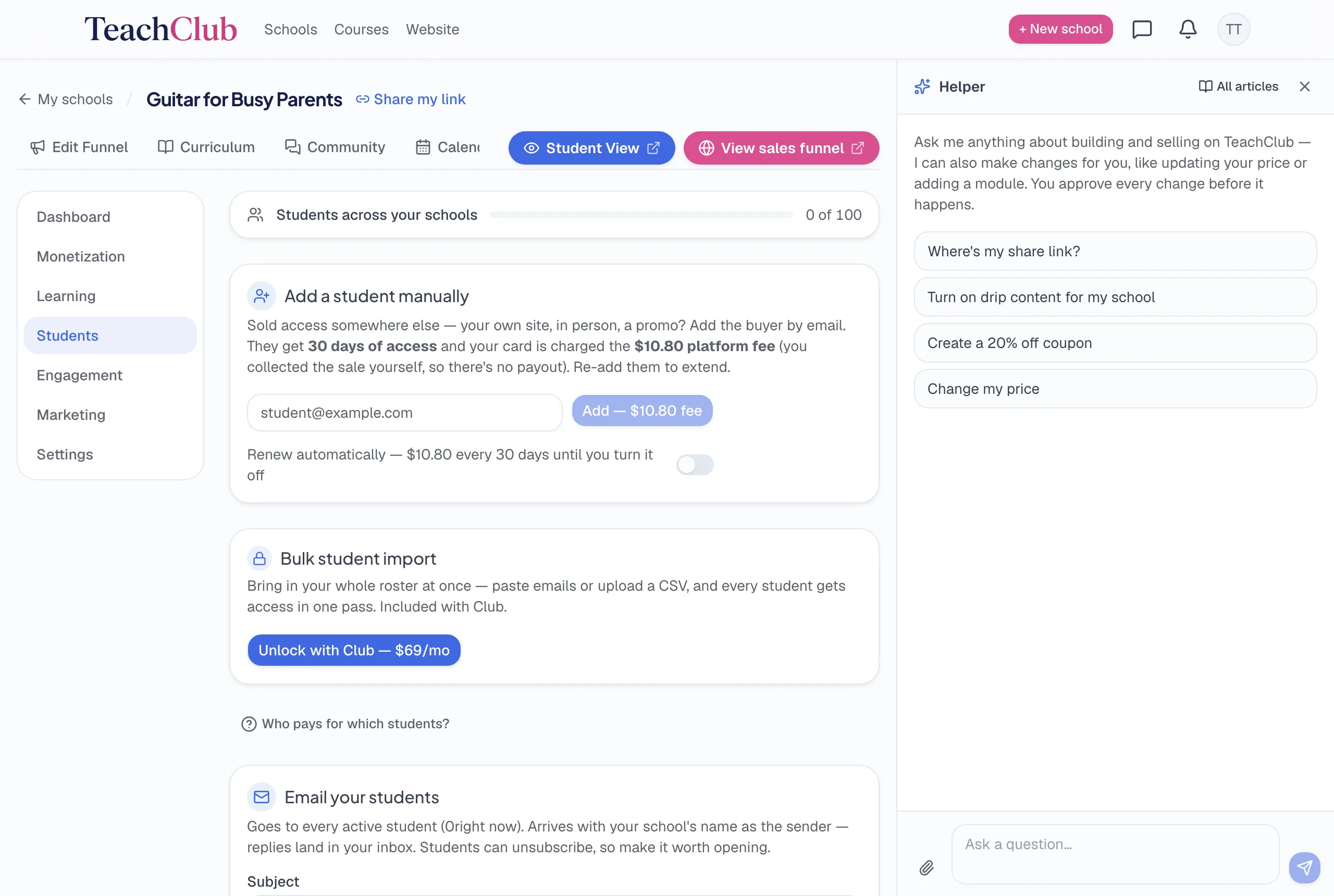
- One at a time (any paid plan): enter the student's email in your school's admin; they get a welcome email under your school's name with a login link. Done in seconds.
- In bulk (Club plan): upload a CSV of emails; you'll see exactly who's new, who's already enrolled, and the total seat fee before you confirm. Roster sync can also let lapsed names drop off — nothing hidden, no surprise charges.
- What students experience: instant account, your branding, lessons ready — the full student walkthrough. Migrating students consistently report it as an upgrade, which is what makes phase one persuasive.
The pre-move checklist
- Export your roster from the old platform — emails at minimum — and confirm its terms let you contact your buyers directly (they almost always do; marketplaces like Udemy are the exception, since those students were never yours).
- Confirm content ownership. Your videos and materials are yours to re-upload; platform-specific quizzes and pages usually need recreating — the AI rebuilds those from your description anyway.
- Map your buyers: one-time purchasers (grant seats for the window you promised) versus active subscribers (time their move to a billing boundary so nobody double-pays).
- Decide your seat policy up front: how long imported buyers stay active, and at whose expense — it's your cost line, so make it a policy, not a surprise.
The bottom line
Migration here isn't a leap — it's a month of overlap, a CSV, and a flat fee you can price into your own sales with a calculator. You keep your funnel, your prices, and your revenue; TeachClub charges for the seat, not the sale. If your current platform's renewal notice is what sent you here, the free call will tell you honestly whether the move makes sense for your specific roster — including if it doesn't.